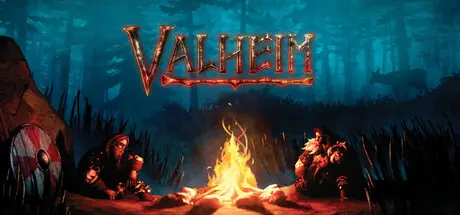
July 6, 20251 yr Valheim Game DetailsRelease Name: ValheimGame Version: v0.221.12 | Build 21981559Release Date: 2 Feb, 2021Publisher: Coffee Stain PublishingDeveloper: Iron Gate ABBased On: CSF & GoldbergValheim Direct Download - Game OverviewValheim is a brutal exploration and survival game for 1-10 players set in a procedurally-generated world inspired by Norse mythology. Craft powerful weapons, construct longhouses, and slay mighty foes to prove yourself to Odin!Explore a world shrouded in mystery. Discover distinct environments with unique enemies to battle, resources to gather and secrets to uncover! Be a viking, sail the open seas in search of lands unknown, and fight bloodthirsty monsters.Raise viking longhouses and build bases that offer reprieve from the dangers ahead. Customise buildings, both inside and out, with a detailed building system. Progress through building tiers to upgrade, expand and defend your base.Struggle to survive as you gather materials and craft weapons, armor, tools, ships, and defenses. Decorate your hearths and sharpen your blades, grow crops and vegetables, prepare food, brew meads and potions, and progress as you defeat more difficult bosses and discover new recipes and blueprints.Valheim Screenshots Valheim TrailerValheim System Requirements Minimum RequirementsRecommended Requirements OSWindows 10 or laterWindows 10 or later Processor2.6 GHz Quad Core or similari5 3GHz or Ryzen 5 3GHz Memory8 GB RAM16 GB RAM GraphicsGeForce GTX 950 or Radeon HD 7970GeForce GTX 1060 or Radeon RX 580 DirectXVersion 11Version 11 Storage1 GB available space1 GB available space How to Install ValheimNo Installation Needed: The game is pre-installed. Just download and extract.Extract: Right-click the .zip or .rar file and select "Extract Here" or "Extract to folder".Run: Find Valheim.exe inside the folder and run it.Multiplayer & Online (Optional)Play Online: Download the Online Fix file and apply it to the game folder.Please go to the online fix page and read the guide.Game Data & SettingsChange Language: Edit the file located at steam_settings/Configs.user.iniSave Data Location: %USERPROFILE%/AppData/LocalLow/IronGate/Valheim/worldsImportant NotesTo support the Game Developer, Get It On Steam.🔥DOWNLOAD AREA🔥🔹1.34 GB🔹Select the server you want to download with ZeiLink.DownloadValheim Online Fix - (RAR pass: zeigames.com)
January 26Jan 26 Its been a while since ive played ive downloaded again since its patched? and somehow im getting double item gathering and cant connect with my friends
April 20Apr 20 Author 12 hours ago, mietekotek said:Having black screen.Any solution?Did anyone tested it?Working fine.
April 20Apr 20 17 hours ago, DicDale said:Working fine.I tested this on 2 different PCs, none of them run the game after using online fix. Version v0.221.12.Maybe im doing something wrong.Can you let me know if you edit any file after applying fix? Edited April 20Apr 20 by mietekotek
April 22Apr 22 Author On 4/20/2026 at 9:28 PM, mietekotek said:Can you let me know if you edit any file after applying fix?No, i just copied online fix and closed in-game crossplay.
April 28Apr 28 On 4/22/2026 at 11:05 AM, DicDale said:No, i just copied online fix and closed in-game crossplay.so i just have to close in-game crossplay option then we can see each other if we try to connect?Thank you as always!





Create an account or sign in to comment