



Skip to content
View in the app

A better way to browse. Learn more.

ZeiGames

A full-screen app on your home screen with push notifications, badges and more.

To install this app on iOS and iPadOS
  1. Tap the Share icon in Safari
  2. Scroll the menu and tap Add to Home Screen.
  3. Tap Add in the top-right corner.
To install this app on Android
  1. Tap the 3-dot menu (โ‹ฎ) in the top-right corner of the browser.
  2. Tap Add to Home screen or Install app.
  3. Confirm by tapping Install.

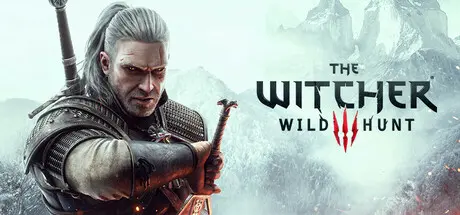
The Witcher 3: Wild Hunt Free Download (v4.04 + ALL DLC)
Featured Replies

header.webp

Game Details

Release Name:ย The Witcher 3: Wild Hunt

Game Version:ย v4.04 | Build 14504303

Release Date: 18 May, 2015

Publisher: CD PROJEKT RED

Developer: CD PROJEKT RED

Based On:ย CSF & Goldberg

The Witcher 3: Wild Hunt Direct Download - Game Review

The Witcher 3: Wild Hunt is an award-winning open-world action RPG that follows Geralt of Rivia, a legendary monster hunter, on his most important journey yet. As the Northern Kingdoms are ravaged by war and the mysterious Wild Hunt pursues his adopted daughter, Ciri, Geralt must travel across a vast, living world filled with dangerous beasts, political intrigue, and unforgettable characters.

Explore breathtaking landscapes, make meaningful choices that shape the story and the world around you, master dynamic swordplay and magic, and take on countless quests, contracts, and secrets. With its rich storytelling, deep RPG mechanics, and two acclaimed expansions, The Witcher 3: Wild Hunt delivers one of the greatest fantasy adventures ever created.


Game Screenshots

screenshot screenshot screenshot screenshot


Game Trailer


System Requirements

Minimum Requirements

Recommended Requirements

OS

64-bit Windows 7, 64-bit Windows 8 (8.1)

64-bit Windows 10/11

Processor

Intel CPU Core i5-2500K 3.3GHz / AMD A10-5800K APU (3.8GHz)

Intel Core i5-7400 / Ryzen 5 1600

Memory

6 GB RAM

8 GB RAM

Graphics

Nvidia GPU GeForce GTX 660 / AMD GPU Radeon HD 7870

Nvidia GTX 1070 / Radeon RX 480

DirectX

Version 11

Version 12

Storage

50 GB available space

50 GB available space


Installation Guide

  1. No Installation Needed: The game is pre-installed. Just download and extract.

  2. Extract: Right-click the .zip or .rar file and select "Extract Here" or "Extract to folder".

  3. Run: Find bin/x64/witcher3.exe inside the folder and run it.

Game Data & Settings

  • Change Language: Edit the file located at steam_settings/Configs.user.ini

  • Save Data Location: USERPROFILE%/My Documents//The Witcher 3/gamesaves/

Important Notes

DLC List

Added DLCs

The Witcher 3: Wild Hunt - Hearts of Stone

The Witcher 3: Wild Hunt - Blood and Wine

The Witcher 3: Wild Hunt - NEW GAME +

The Witcher 3: Wild Hunt - New Finisher Animations

The Witcher 3: Wild Hunt - New Quest 'Where the Cat and Wolf Play...'

The Witcher 3: Wild Hunt - Alternative Look for Ciri

The Witcher 3: Wild Hunt - Skellige Armor Set

The Witcher 3: Wild Hunt - New Quest 'Contract: Skellige's Most Wanted'

The Witcher 3: Wild Hunt - Alternative Look for Triss

The Witcher 3: Wild Hunt - New Quest: 'Scavenger Hunt: Wolf School Gear'

The Witcher 3: Wild Hunt - 'Ballad Heroes' Neutral Gwent Card Set

The Witcher 3: Wild Hunt - New Quest 'Fool's Gold'

The Witcher 3: Wild Hunt - Elite Crossbow Set

The Witcher 3: Wild Hunt - Nilfgaardian Armor Set

The Witcher 3: Wild Hunt - New Quest 'Contract: Missing Miners'

The Witcher 3: Wild Hunt - Alternative Look for Yennefer

The Witcher 3: Wild Hunt - Beard and Hairstyle Set

The Witcher 3: Wild Hunt - Temerian Armor Set

The Witcher 3: Wild Hunt - Expansion Pass

๐Ÿ”ฅDOWNLOAD AREA๐Ÿ”ฅ

๐Ÿ”น54.08 GB๐Ÿ”น

Select the server you want to download with ZeiLink.

ALL Languages Included.

Download

  • 6 months later...
  • Replies 4
  • Views 4.7k
  • Created
  • Last Reply

Top Posters In This Topic

Posted Images

  • 1 month later...

viking file wont work in brave browser, some thrid party browsers flag it, i used microsoft edge and viking works there (most the time)

Create an account or sign in to comment

Recently Browsing 0

  • No registered users viewing this page.

Account

Navigation

Search

Search

๐Ÿ”Ž Search Tip
For exact results, search using "game name" .
Without quotes, results may include unrelated titles.

Configure browser push notifications

Chrome (Android)
  1. Tap the lock icon next to the address bar.
  2. Tap Permissions โ†’ Notifications.
  3. Adjust your preference.
Chrome (Desktop)
  1. Click the padlock icon in the address bar.
  2. Select Site settings.
  3. Find Notifications and adjust your preference.
