



Skip to content
View in the app

A better way to browse. Learn more.

ZeiGames

A full-screen app on your home screen with push notifications, badges and more.

To install this app on iOS and iPadOS
  1. Tap the Share icon in Safari
  2. Scroll the menu and tap Add to Home Screen.
  3. Tap Add in the top-right corner.
To install this app on Android
  1. Tap the 3-dot menu (โ‹ฎ) in the top-right corner of the browser.
  2. Tap Add to Home screen or Install app.
  3. Confirm by tapping Install.

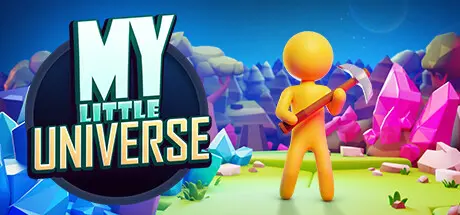
My Little Universe Free Download (v1.5.0 + ALL DLC)
Featured Replies

header.webp

Game Details

Release Name:ย My Little Universe

Game Version:ย v1.5.0 | Build 13196918

Release Date: 5 Oct, 2023

Publisher: SayGames

Developer: Estoty

Based On:ย CSF & Goldberg

My Little Universe Direct Download - Game Review

Go above and beyond the cosmos!

The universe is vast and filled with adventures, mysteries to solve, and enemies to fightโ€ฆ who knows, you might even meet a few friendly faces along the way. Better yet, invite up to three of your friends to join you in the split-screen local co-op mode because itโ€™s always more exciting with friends!

9 mythical worlds and 65+ different dungeons, from mythology-inspired lands to hostile alien worlds await you and your friends. Filled with wonder and plunder, challenges and adversaries, your task is to restore these beautiful worlds to their former glory!

The worlds are filled with rich minerals ready to be harvested by your trusty tools, and mythical artifacts of untapped power guarded by powerful foes. Use more than 70 different gatherable resources to recreate lands long lost to a mysterious threat.

The universe wonโ€™t be restored that easily, and each challenge requires the proper tools for the job. Equipped with your trusty pickaxe, sharp sword, and sturdy axe, youโ€™ll be thrown against 150+ different adversaries including mythical creatures, alien horrors, and even demigods!

With each planet comes new challenges and because of that, you have to stay prepared by upgrading to the newest and freshest tools, which will always keep you one step ahead of your opponents! Improve your weapon, tools, and armor up to 30+ levels!

Just Enjoy The Adventure.

Get entranced by the gameโ€™s cozy atmosphere, enjoy the relaxing soundtrack, and fall in love with the simplistic yet charismatic visuals. After all, itโ€™s all about the journey and the friends we make along the way!


Game Screenshots

screenshot screenshot screenshot screenshot


Game Trailer


System Requirements

Minimum Requirements

Recommended Requirements

OS

Windows 7 (SP1+) 64-bit

Windows 10 64-bit

Processor

Intel Core i5

Intel Core i5

Memory

4 GB RAM

8 GB RAM

Graphics

Intel HD 630

GTX 750

DirectX

Version 11

Version 11

Storage

2 GB available space

2 GB available space


Installation Guide

  1. No Installation Needed: The game is pre-installed. Just download and extract.

  2. Extract: Right-click the .zip or .rar file and select "Extract Here" or "Extract to folder".

  3. Run: Find My Little Universe.exe inside the folder and run it.

Game Data & Settings

  • Change Language: Edit the file located at steam_settings/Configs.user.ini

  • Save Data Location: %USERPROFILE%/AppData/LocalLow/SAYGAMES LTD/My Little Universe/Saves/Remote

Important Notes

DLC List

Added DLCs

My Little Universe Xmas Character Pack

My Little Universe - Demodium

๐Ÿ”ฅDOWNLOAD AREA๐Ÿ”ฅ

๐Ÿ”น292 MB๐Ÿ”น

Select the server you want to download with ZeiLink.

Download

  • Views 472
  • Created
  • Last Reply

Posted Images

Create an account or sign in to comment

Recently Browsing 0

  • No registered users viewing this page.

Account

Navigation

Search

Search

๐Ÿ”Ž Search Tip
For exact results, search using "game name" .
Without quotes, results may include unrelated titles.

Configure browser push notifications

Chrome (Android)
  1. Tap the lock icon next to the address bar.
  2. Tap Permissions โ†’ Notifications.
  3. Adjust your preference.
Chrome (Desktop)
  1. Click the padlock icon in the address bar.
  2. Select Site settings.
  3. Find Notifications and adjust your preference.
