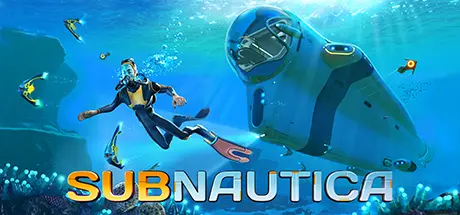
July 6, 20251 yr Subnautica Game DetailsRelease Name: SubnauticaGame Version: v83031 | Build 20241558Release Date: 23 Jan, 2018Publisher: Unknown Worlds EntertainmentDeveloper: Unknown Worlds EntertainmentBased On: CSF & CODEXSubnautica Direct Download - Game Overview Subnautica is an underwater adventure game set on an alien ocean planet. A massive, open world full of wonder and peril awaits you!You have crash-landed on an alien ocean world, and the only way to go is down. Subnautica's oceans range from sun drenched shallow coral reefs to treacherous deep-sea trenches, lava fields, and bio-luminescent underwater rivers. Manage your oxygen supply as you explore kelp forests, plateaus, reefs, and winding cave systems. The water teems with life: Some of it helpful, much of it harmful.After crash landing in your Life Pod, the clock is ticking to find water, food, and to develop the equipment you need to explore. Collect resources from the ocean around you. Craft diving gear, lights, habitat modules, and submersibles. Venture deeper and further form to find rarer resources, allowing you to craft more advanced items.Build bases on the sea floor. Choose layouts and components, and manage hull-integrity as depth and pressure increase. Use your base to store resources, park vehicles, and replenish oxygen supplies as you explore the vast ocean.Subnautica Screenshots Subnautica TrailerSubnautica System Requirements Minimum RequirementsRecommended Requirements OSWindows Vista SP2 or newer, 64-bitWindows Vista SP2 or newer, 64-bit ProcessorIntel Haswell 2 cores / 4 threads @ 2.5Ghz or equivalentIntel Haswell 4 cores / 4 threads @ 3.2Ghz or equivalent Memory4 GB RAM8 GB RAM GraphicsIntel HD 4600 or equivalent - This includes most GPUs scoring greater than 950 points in the 3DMark Fire Strike benchmarkNvidia GTX 550 Ti or equivalent, 2GB VRAM DirectXVersion 11Version 11 Storage20 GB available space20 GB available space How to Install SubnauticaNo Installation Needed: The game is pre-installed. Just download and extract.Extract: Right-click the .zip or .rar file and select "Extract Here" or "Extract to folder".Run: Find Subnautica.exe inside the folder and run it.Game Data & SettingsChange Language: Edit the file located at steam_settings/Configs.user.iniSave Data Location: */SNAppData/SavedGamesImportant NotesTo support the Game Developer, Get It On Steam.🔥DOWNLOAD AREA🔥🔹4.02 GB🔹Select the server you want to download with ZeiLink.Download
March 11Mar 11 I tried to download subnautica using the datavault server, and when I downloaded the file and extracted it, and then ran it, subnautica kept giving me this error: Even after I installed the latest VC redistributables, and tried to extract the zip archive file again it kept giving me this error





Create an account or sign in to comment