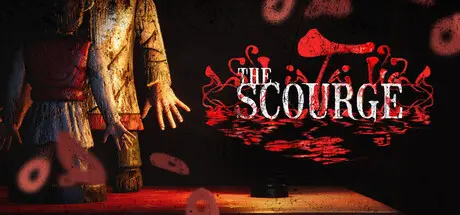
July 23Jul 23 The Scourge | Tai Ương Game DetailsRelease Name: The Scourge | Tai ƯơngGame Version: v0.3.23 | Build 17907746Release Date: 28 Mar, 2026Publisher: Rare Reversee (Global), LICOGAME (China Publishing)Developer: Rare Reversee, BeaztekBased On: CSF & GoldbergThe Scourge | Tai Ương Direct Download - Game Overview"The Scourge" is a first person horror puzzle game, immersing you in the heart of Saigon (Vietnam) through urban legends from the 1990s. You will follow the tragic fate of a family and the main character, who made mistakes in the past and is now haunted by a sinister supernatural force.The protagonist, a person overwhelmed by delusions due to past tragedies and life's despair, frequently finds himself in nightmares. In these dreams, the line between reality and illusion becomes blurred. To rediscover his inner light and escape from the shadows of his past, he must confront his sorrows, make amends for his mistakes, and defeat the most formidable enemy that exists not only in his mind but also in the real world.The Scourge | Tai Ương Screenshots The Scourge | Tai Ương TrailerThe Scourge | Tai Ương System Requirements Minimum RequirementsRecommended Requirements OSWindows 10 x64Windows 10 x64 ProcessorCore I5 Gen 9, Ryzen 5 3600/5600XCore I7 Gen 9, Ryzen 7 3700X Memory8 GB RAM16 GB RAM GraphicsGTX 1050 4GBGTX 1660 DirectXVersion 11Version 11 Storage20 GB available space30 GB available space How to Install The Scourge | Tai ƯơngNo Installation Needed: The game is pre-installed. Just download and extract.Extract: Right-click the .zip or .rar file and select "Extract Here" or "Extract to folder".Run: Find TheScourge.exe inside the folder and run it.Game Data & SettingsChange Language: Edit the file located at steam_settings/Configs.user.iniSave Data Location:*/SavedImportant NotesTo support the Game Developer, Get It On Steam.🔥DOWNLOAD AREA🔥🔹5.83 GB🔹Select the server you want to download with ZeiLink.Download
Wednesday at 11:10 AM5 days On 7/31/2026 at 2:45 PM, DexterX010 said:Is the game updated as chapter 3 and chapter 4 is also comingNo bro i think its coming soon





Create an account or sign in to comment