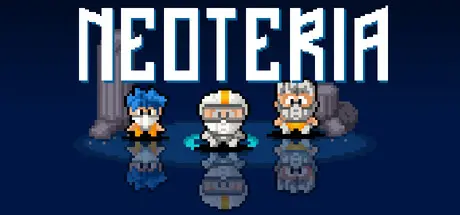
Sunday at 04:30 AM1 day Neoteria Game DetailsRelease Name: NeoteriaGame Version: Build 20057430Release Date: 25 Sep, 2025Publisher: HandyGames, Orangepixel, THQ Nordic MobileDeveloper: OrangepixelBased On: CSF & GoldbergNeoteria Free Download - Game OverviewNeoteria is a throw-back to the classic horizontal Shoot-em Up games (SHMUP!). With waves and waves of enemies coming at you all trying to take you down, you need quick reflexes to avoid collisions, shoot the enemy waves, and power-up your weapon!Neoteria does add a few tiny modern spins to the classic arcade formula: Alternate paths to unlock hidden worlds and multiple difficulty modes (unlockable pilots).This is NOT a Bullet Hell shooter!A great throw back to the classic arcade SHMUP's!Unlockable pilots and difficulty modesBoss fightsAlternate paths and hidden worldsA unique power-up system for your weaponA thumping classic chiptune soundtrackNeoteria Screenshots Neoteria TrailerNeoteria System RequirementsMinimum RequirementsRecommended RequirementsOSWindows 7 or higher-Processor2.0 ghz Dual Core-Memory2 GB RAM-GraphicsIntel HD3000 or higher with OpenGL 2.1 support-DirectX--Storage200 MB available space-How to Install NeoteriaNo Installation Needed: The game is pre-installed. Just download and extract.Extract: Right-click the .zip or .rar file and select "Extract Here" or "Extract to folder".Run: Find Neoteria.exe inside the folder and run it.Game Data & SettingsSave Data Location: %USERPROFILE%/AppData/Roaming/neoteriaImportant NotesTo support the Game Developer, Get It On Steam.🔥DOWNLOAD AREA🔥🔹51 MB🔹Select the server you want to download with ZeiLink.Download





Create an account or sign in to comment