



Theme
Language

Layout
Skip to content
View in the app

A better way to browse. Learn more.

ZeiGames

A full-screen app on your home screen with push notifications, badges and more.

To install this app on iOS and iPadOS
  1. Tap the Share icon in Safari
  2. Scroll the menu and tap Add to Home Screen.
  3. Tap Add in the top-right corner.
To install this app on Android
  1. Tap the 3-dot menu (โ‹ฎ) in the top-right corner of the browser.
  2. Tap Add to Home screen or Install app.
  3. Confirm by tapping Install.

SHRIMP GAME: OVERKRILL Free Download (v1.03 + Online)
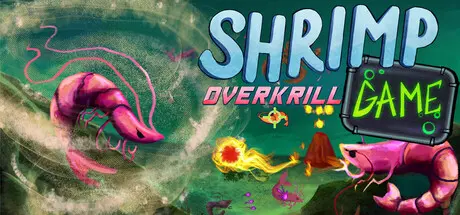
SHRIMP GAME: OVERKRILL

Featured Replies

SHRIMP GAME: OVERKRILL cover art

SHRIMP GAME: OVERKRILL Game Details

Release Name:ย SHRIMP GAME: OVERKRILL

Game Version:ย v1.03 | Build 25024938

Release Date: 27 Aug, 2026

Publisher: GIGATANK 3000

Developer: GasGod Games, GLUE MAN

Based On:ย CSF & Goldberg

SHRIMP GAME: OVERKRILL Direct Download - Game Overview

SHRIMP GAME: KRILL CONFIRMED is an atmospheric third-person looter shooter RPG set in a decaying underwater world replete with horrific sea creatures and Lovecraftian Bosses.
Pilot your Submersible Hydrodynamic Research Integrated Marine Platform (SHRIMP), master theย six elemental classes with powerful fusion abilities, and unlock specialized SHRIMP Platforms each with their own unique strengths and personalities.
Explore the sunken ruins solo or in 6-player co-op, or KRILL your friends in chaotic PvP modes like Shrimp Royale, Shrimp Tag, and Boss Mode!

  • "Okay... This is ****** awesome..." - Iron Pineapple

  • "I think this actually... This is really good." - Vinny Vinesauce

  • Battle massive bosses of the deep from volcano-bound hermit crabs to kaiju-sized electric eels

  • Face swarms of aquatic fauna like murderous betta fish, dangerous dust crabs, and hostile sea sponges

  • Fight and SHRIMP together across the entire campaign in multiplayer co-op up to 6 pilots

  • Krill your friends in PVP with games such Royale, Tag, and Boss Mode!

  • Choose from 6 base elemental powers with the potential to create 2 dozen different element fusions like Magma, Smog, Moon, Demon, and Bone to complement your build

  • Pick from 11 different Submersible Hydrodynamic Research Integrated Marine Platforms (SHRIMP) each with their own different strengths and play styles

  • Customize your build with over 2 dozen weapons from heavy cannon shots, shotgun blasts, or machine-gun projectiles with added stat upgrades and rarities

  • Explore and perhaps restore an underwater realm on the brink of destruction

  • Discover ancient ruins, complete puzzles hiding treasures, and traverse cryptic domainsย 

  • Meet and help a variety of eccentric and interesting characters each with their own motivations

  • Travel the depths with a watery Drum N' Bass inspired soundtrack with over a dozen songs


SHRIMP GAME: OVERKRILL Screenshots

SHRIMP GAME: OVERKRILL screenshot 1 SHRIMP GAME: OVERKRILL screenshot 2 SHRIMP GAME: OVERKRILL screenshot 3 SHRIMP GAME: OVERKRILL screenshot 4


SHRIMP GAME: OVERKRILL Trailer


SHRIMP GAME: OVERKRILL System Requirements

Minimum Requirements

Recommended Requirements

OS

Windows 10

-

Processor

Intel Core i7-7700HQ 2.8GHz

-

Memory

2 GB RAM

-

Graphics

Nvidia Geforce GTX 1050

-

DirectX

-

-

Storage

2 GB available space

-


How to Install SHRIMP GAME: OVERKRILL

  1. No Installation Needed: The game is pre-installed. Just download and extract.

  2. Extract: Right-click the .zip or .rar file and select "Extract Here" or "Extract to folder".

  3. Run: Find Launcher.exe inside the folder and run it.

Multiplayer & Online (Optional)

  • Play Online: Download the Online Fix file and apply it to the game folder.

  • Please go to the online fix page and read the guide.

Game Data & Settings

  • Change Language: Edit the file located at steam_settings/Configs.user.ini

Important Notes

๐Ÿ”ฅDOWNLOAD AREA๐Ÿ”ฅ

๐Ÿ”น407 MB๐Ÿ”น

Select the server you want to download with ZeiLink.

Download

Online Fix

  • Views 339
  • Created
  • Last Reply

Posted Images

Create an account or sign in to comment

Recently Browsing 0

  • No registered users viewing this page.

Account

Navigation

Search

Search

๐Ÿ”Ž Search Tip
For exact results, search using "game name" .
Without quotes, results may include unrelated titles.

Configure browser push notifications

Chrome (Android)
  1. Tap the lock icon next to the address bar.
  2. Tap Permissions โ†’ Notifications.
  3. Adjust your preference.
Chrome (Desktop)
  1. Click the padlock icon in the address bar.
  2. Select Site settings.
  3. Find Notifications and adjust your preference.
