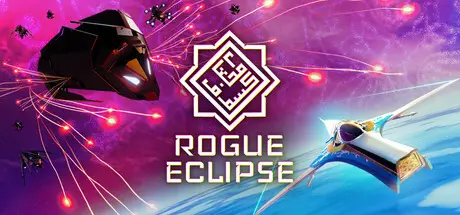
Yesterday at 08:11 AM1 day Rogue Eclipse Game DetailsRelease Name: Rogue EclipseGame Version: v1.007.019 | Build 24869209Release Date: 14 Aug, 2026Publisher: HUSKRAFTS, OuterslothDeveloper: HUSKRAFTSBased On: CSF & GoldbergRogue Eclipse Direct Download - Game OverviewEpic. Arcade. Spaceflight. Action.Rogue Eclipse is a spaceflight action roguelike for the new age. Inspired by our love of the greatest arcade spacefighters and the sci-fi frontiers of Arabesque Futurism, Rogue Eclipse brings the best of arcade flight speed and spectacle of to an epic setting.You are a pilot on the front lines of the war for humanity’s future. Try, die, and try again, boost yourself at terminal velocity into pitched space battles in the deepest reaches of the galaxy. Delve into hulking enemy behemoths and blast your way through destructible environments, upgrading your ship and honing your skills to vanquish a malevolent evil that threatens the entire cosmos.A new age of actionMaster approachable yet challenging spaceflight action. Blast and burn your way through swarms of starfighters, merciless armadas and colossal behemoths, gargantuan warships that'll push your piloting prowess to the ultimate test. A universe on the lineEach battle brings you closer to your nemesis. Experience a high-stakes space opera in an epic setting inspired by Arabesque Futurism.Adapt and Upgrade on the flyAs humanity’s prospects improve, so does your equipment. Upgrade, customise and personalise your ship as you progress, maximizing your firepower to take down your foes in style. Features:Edge-of-your-seat arcade spaceflight action, easy to learn and difficult to masterUpgrade, customise and personalise your starfighter as you progressA Roguelike Campaign with a narrative that unfolds across multiple runsAn epic space opera setting inspired by Arabesque FuturismRogue Eclipse Screenshots Rogue Eclipse TrailerRogue Eclipse System RequirementsMinimum RequirementsRecommended RequirementsOSWindows 10Windows 10ProcessorIntel I3 or Intel i5-2300 or AMD Ryzen 1600X equivalent w/ Recommended Graphics CardIntel(R) Core(TM) i5-10400F or AMD Ryzen 5 3600X ProcessorMemory8 GB RAM16 GB RAMGraphicsNVIDIA GeForce GTX 1060 6GB / AMD RX 580 8GBNVIDIA GeForce GTX 1080 8GB / AMD RX 580 8GB / NVIDIA RTX 3060 12GB / AMD RX 6700 XTDirectXVersion 12Version 12Storage4 GB available space6 GB available spaceHow to Install Rogue EclipseNo Installation Needed: The game is pre-installed. Just download and extract.Extract: Right-click the .zip or .rar file and select "Extract Here" or "Extract to folder".Run: Find RogueEclipse.exe inside the folder and run it.Game Data & SettingsChange Language: Edit the file located at steam_settings/Configs.user.iniSave Data Location: %USERPROFILE%/AppData/Local/RogueEclipse/Saved/SaveGamesImportant NotesTo support the Game Developer, Get It On Steam.🔥DOWNLOAD AREA🔥🔹4.06 GB🔹Select the server you want to download with ZeiLink.Download





Create an account or sign in to comment