



Skip to content
View in the app

A better way to browse. Learn more.

ZeiGames

A full-screen app on your home screen with push notifications, badges and more.

To install this app on iOS and iPadOS
  1. Tap the Share icon in Safari
  2. Scroll the menu and tap Add to Home Screen.
  3. Tap Add in the top-right corner.
To install this app on Android
  1. Tap the 3-dot menu (โ‹ฎ) in the top-right corner of the browser.
  2. Tap Add to Home screen or Install app.
  3. Confirm by tapping Install.

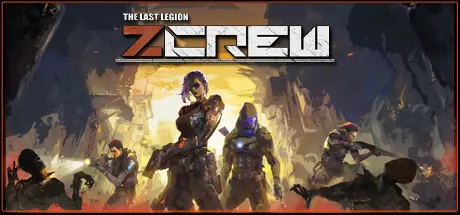
ZCREW Free Download (v1.1.0 + The Void Realm DLC + Online)
Featured Replies

header.webp

Game Details

Release Name:ย ZCREW

Game Version:ย v1.1.0 | Build 12686713

Release Date: 12 Sep, 2022

Publisher: Snail Games USA

Developer: Emotion Studio

Based On:ย CSF & Goldberg

ZCREW Direct Download - Game Review

Chests will spawn randomly on the map, containing missiles, lightning, sawblades, and Blade Qi that will automatically reign the battlefield.
The origin of the apocalyptic crisis has finally surfaced. Face the ultimate challenge and defeat the almighty Alien Overlord and his minions.

You have come to a world almost destroyed by the plague, monsters have become the master of the ground. The weapon in your hand is the last hope of human civilization. To you, right here, right now, killing is saving!


Zombies, giant insects, and mutated monsters! Can you survive their relentless onslaught?
Select your character and fight your way out with your weapons and skills.
Unlock battle support and utilize turrets/laser/traps to make your battle a piece of cake.

4 types of upgradeable firearms with hundreds of customizable weapon attachments. Still deciding between damage and fire rate? Why not both?
More than 50 types of weapon stats for you to choose from! Instant kill, explosion, knockback, penetration, and more! Just unload your ammo and you will eliminate the monsters in a blink of an eye!

Enjoy the feeling of dancing on a knife's edge? Use your unique class skills and talents to make it possible!
Build your own unique playstyle with different talents, weapons, and class specialization!


Game Screenshots

screenshot screenshot screenshot screenshot


Game Trailer


System Requirements

Minimum Requirements

Recommended Requirements

OS

Windows 7 64-bit

windows 10 64-bit

Processor

Intel i3 Skylake | AMD FX-6000

Intel i5 Coffee Lake | AMD Ryzen 3

Memory

8 GB RAM

16 GB RAM

Graphics

AMD Radeon R7 260X | NVIDIA GeForce GTX 750 Ti

AMD Radeon RX 570 | NVIDIA GeForce GTX 970

DirectX

Version 11

Version 12

Storage

9 GB available space

9 GB available space


Installation Guide

  1. No Installation Needed: The game is pre-installed. Just download and extract.

  2. Extract: Right-click the .zip or .rar file and select "Extract Here" or "Extract to folder".

  3. Run: Find Zcrew.exe inside the folder and run it.

Multiplayer & Online (Optional)

  • Play Online: Download the Online Fix file and apply it to the game folder.

  • Please go to the online fix page and read the guide.

Game Data & Settings

  • Change Language: Edit the file located at steam_settings/Configs.user.ini

Important Notes

DLC List

Added DLCs

Zcrew - The Void Realm

๐Ÿ”ฅDOWNLOAD AREA๐Ÿ”ฅ

๐Ÿ”น10.22 GB๐Ÿ”น

Select the server you want to download with ZeiLink.

Download

Online Fix - (RAR pass: rexagames.com)

  • Views 518
  • Created
  • Last Reply

Posted Images

Create an account or sign in to comment

Recently Browsing 0

  • No registered users viewing this page.

Account

Navigation

Search

Search

๐Ÿ”Ž Search Tip
For exact results, search using "game name" .
Without quotes, results may include unrelated titles.

Configure browser push notifications

Chrome (Android)
  1. Tap the lock icon next to the address bar.
  2. Tap Permissions โ†’ Notifications.
  3. Adjust your preference.
Chrome (Desktop)
  1. Click the padlock icon in the address bar.
  2. Select Site settings.
  3. Find Notifications and adjust your preference.
