



Skip to content
View in the app

A better way to browse. Learn more.

ZeiGames

A full-screen app on your home screen with push notifications, badges and more.

To install this app on iOS and iPadOS
  1. Tap the Share icon in Safari
  2. Scroll the menu and tap Add to Home Screen.
  3. Tap Add in the top-right corner.
To install this app on Android
  1. Tap the 3-dot menu (โ‹ฎ) in the top-right corner of the browser.
  2. Tap Add to Home screen or Install app.
  3. Confirm by tapping Install.

Mafia: The Old Country Free Download (Build 20951841 + ALL DLC)
Featured Replies

header.webp

Game Details

Release Name:ย Mafia: The Old Country

Game Version:ย Build 20951841

Release Date: 7 Aug, 2025

Publisher: 2K

Developer: Hangar 13

Based On:ย CSF & voices38

Mafia: The Old Country Direct Download - Game Review

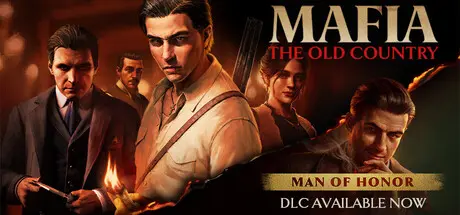
Uncover the origins of organized crime in Mafia: The Old Country, a gritty mob story set in the brutal underworld of 1900s Sicily. Fight to survive as Enzo Favara and prove your worth to the Family in this immersive third-person action-adventure set during a dangerous, unforgiving era.

This thrilling narrative is brought to life by stunning visuals, cinematic storytelling, and the authentic realism that the critically acclaimed Mafia series is known for. Enzo's story unfolds in a time when skill with a stiletto blade was a deadly asset, a lupara sawed-off shotgun was a go-to firearm, murderous vendettas raged for decades, and mafiosi patrolled their protection rackets on foot, horseback, or behind the wheel of turn-of-the-century motorcars.

The rough-hewn beauty of Sicily's rugged countryside is a stark contrast to the grime of urban alleywaysโ€”but the treachery and violence of this gangland run just as deep. Rival families and their ruthless leaders wage unending turf wars in the shadows, hidden from the public eye. Trust is a fleeting rarity, and loyalties are worth killing for.

You're the antihero of this thrilling 1900s story, living out every tense moment of Enzo's descent into Sicilyโ€™s clandestine criminal underworld. Come face-to-face with a cast of unpredictable allies and cutthroat enemies in this classic crime drama, rich in period-authentic details that will immerse you in this treacherous Mediterranean setting.


Game Screenshots

screenshot screenshot screenshot screenshot


Game Trailer


System Requirements

Minimum Requirements

Recommended Requirements

OS

Windows 10 / 11

Windows 10 / 11

Processor

AMD Ryzen 7 2700X / Intel Core i7-9700K

AMD Ryzen 7 5800X / Intel Core i7-12700K

Memory

16 GB RAM

32 GB RAM

Graphics

AMD Radeon RX 5700 XT / NVIDIA RTX 2070

AMD Radeon RX 6950 XT / NVIDIA RTX 3080 Ti

DirectX

Version 12

Version 12

Storage

55 GB available space

55 GB available space


Installation Guide

  1. No Installation Needed: The game is pre-installed. Just download and extract.

  2. Extract: Right-click the .zip or .rar file and select "Extract Here" or "Extract to folder".

  3. Run: Find \MafiaTheOldCountry\Binaries\Win64\MafiaTheOldCountry.exe inside the folder and run it.

Game Data & Settings

  • Change Language: Edit the file located at steam_settings/Configs.user.ini

  • Save Data Location: %USERPROFILE%/AppData/Local/Hangar 13 Games/Mafia The Old Country/SaveGames/

Important Notes

DLC List

Added DLCs

Mafia: The Old Country - Soundtrack and Digital Artbook

Mafia: The Old Country - Gatto Nero Pack

Mafia: The Old Country - Padrino Pack

Mafia: The Old Country - Soldato Pack

๐Ÿ”ฅDOWNLOAD AREA๐Ÿ”ฅ

๐Ÿ”น39.66 GB๐Ÿ”น

Select the server you want to download with ZeiLink.

Download

  • Views 1.2k
  • Created
  • Last Reply

Posted Images

Create an account or sign in to comment

Recently Browsing 0

  • No registered users viewing this page.

Account

Navigation

Search

Search

๐Ÿ”Ž Search Tip
For exact results, search using "game name" .
Without quotes, results may include unrelated titles.

Configure browser push notifications

Chrome (Android)
  1. Tap the lock icon next to the address bar.
  2. Tap Permissions โ†’ Notifications.
  3. Adjust your preference.
Chrome (Desktop)
  1. Click the padlock icon in the address bar.
  2. Select Site settings.
  3. Find Notifications and adjust your preference.
