



Theme
Language

Layout
Skip to content
View in the app

A better way to browse. Learn more.

ZeiGames

A full-screen app on your home screen with push notifications, badges and more.

To install this app on iOS and iPadOS
  1. Tap the Share icon in Safari
  2. Scroll the menu and tap Add to Home Screen.
  3. Tap Add in the top-right corner.
To install this app on Android
  1. Tap the 3-dot menu (โ‹ฎ) in the top-right corner of the browser.
  2. Tap Add to Home screen or Install app.
  3. Confirm by tapping Install.

Island Beekeeper Free Download (Build 24455498 + Online)
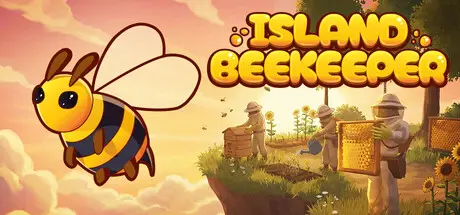
Island Beekeeper

Featured Replies

Island Beekeeper cover art

Island Beekeeper Game Details

Release Name:ย Island Beekeeper

Game Version:ย Build 24455498

Release Date: 28 Jul, 2026

Publisher: Akuseru Studio

Developer: Akuseru Studio

Based On:ย CSF & Goldberg

Island Beekeeper Direct Download - Game Overview

Earth is dying from disease, famine and ruin. One of the few resources still helping people survive is honey from the floating islands.

You travel to the sky world to build a beekeeping farm, raise bees and establish honey shipments back down to Earth. Other beekeepers were sent there before you, but none of them ever returned. The more islands you discover, the closer you get to the answer to the main question: what happened to those who came before you?

Raise bees, care for hives and collect honey. Each type of bee has its own unique traits. Crossbreed different species to create hybrids with new properties. Over time, bees will become an important part of your farm and help automate part of the work at the apiary.

Create your own island: expand the territory, place hives, set up crop fields and build your apiary the way you want. Build a farm, a small house with hives or a large apiary that gradually grows together with your settlement.

Grow flowers for the bees, as well as vegetables, fruits and other plants for yourself. Some crops will help attract the right types of bees and affect the quality of the honey, while others will be useful for cooking, crafting and everyday life on the island. Choose plants that suit your apiary and gradually expand your farm with new crops.

The Medocycle is a unique vehicle for traveling between islands. With it you can explore new islands, find rare locations and quickly return to your apiary. Upgrade the Medocycle to reach places that were previously inaccessible.

Travel between islands with different biomes, plants, resources and bee species. Each new island may offer something useful for your apiary: a rare bee, a needed material or a new crop to grow. As you explore the islands, you will uncover traces of the beekeepers who came before you and gradually learn what happened to them.

Play solo or with friends: develop the apiary, grow plants, build and explore islands in a shared world. Divide up tasks or do everything together - one person cares for the bees, another shapes the island, and a third heads out to find new islands and bee species.


Island Beekeeper Screenshots

Island Beekeeper screenshot 1 Island Beekeeper screenshot 2 Island Beekeeper screenshot 3 Island Beekeeper screenshot 4


Island Beekeeper Trailer


Island Beekeeper System Requirements

Minimum Requirements

Recommended Requirements

OS

Windows 10/11 64-bit

Windows 10/11 64-bit

Processor

Intel Core i5-8400 | AMD Ryzen 5 2600

Intel Core i5-10400F | AMD Ryzen 5 3600

Memory

6 GB RAM

8 GB RAM

Graphics

GeForce GTX 1060 6 GB | RX 580 8 GB

GeForce GTX 1660 Super 6 GB | RX 5600 XT 6 GB

DirectX

Version 12

Version 12

Storage

5 GB available space

5 GB available space


How to Install Island Beekeeper

  1. No Installation Needed: The game is pre-installed. Just download and extract.

  2. Extract: Right-click the .zip or .rar file and select "Extract Here" or "Extract to folder".

  3. Run: Find IslandBeekeeper.exe inside the folder and run it.

Multiplayer & Online (Optional)

  • Play Online: Download the Online Fix file and apply it to the game folder.

  • Please go to the online fix page and read the guide.

Game Data & Settings

  • Change Language: Edit the file located at steam_settings/Configs.user.ini

Important Notes

๐Ÿ”ฅDOWNLOAD AREA๐Ÿ”ฅ

๐Ÿ”น1.29 GB๐Ÿ”น

Select the server you want to download with ZeiLink.

Download

Online Fix - (RAR pass: zeigames.com)

  • Views 751
  • Created
  • Last Reply

Posted Images

Create an account or sign in to comment

Recently Browsing 0

  • No registered users viewing this page.

Account

Navigation

Search

Search

๐Ÿ”Ž Search Tip
For exact results, search using "game name" .
Without quotes, results may include unrelated titles.

Configure browser push notifications

Chrome (Android)
  1. Tap the lock icon next to the address bar.
  2. Tap Permissions โ†’ Notifications.
  3. Adjust your preference.
Chrome (Desktop)
  1. Click the padlock icon in the address bar.
  2. Select Site settings.
  3. Find Notifications and adjust your preference.
