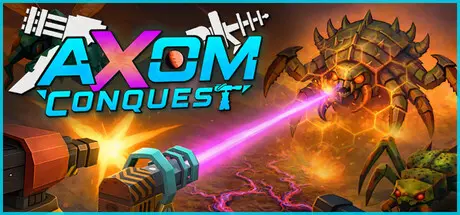
June 27Jun 27 Axom: Conquest Game DetailsRelease Name: Axom: ConquestGame Version: v1.0.3.0 | Build 23883798Release Date: 9 Jun, 2026Publisher: Hairy PenguinDeveloper: Hairy PenguinBased On: CSF & GoldbergAxom: Conquest Direct Download - Game OverviewAxom: Conquest is a hold-out style Tower Defence Roguelite for strategy fans who love breaking games with overpowered builds.Build an impenetrable fortress, unlock bowling towers, nukes and a tiny robot named Jeff. Defend from thousands of relentless physics-driven alien swarms and unlock powerful meta-progression.4 Difficulties to conquer + Endless mode.Build a sprawling fortress - Protect your Nexus Drill against the endless swarms of Centurax.Expand your economy - Expand outwards and extract Axom's resources with refineries and more!Every Run is Truly Unique – Interlocking systems, procedural maps, branching towers, upgrade chains, alien upgrades, unique enemies and game changing consumables make no run the same. Dozens of Starting Classes – Pick a Nexus variant before each run, each with unique stats and abilities that steer your strategy to your preferred playstyle.The Alien Infection - Balance offence and defence as the planet itself rejects your presence. Infected tiles grow gradually forcing constant adaptation.Not just Towers - Mix towers, traps, and robot armies into the mix of your arsenal of tools to conquer. Structure Variants - Alternate versions of structures that are super powered. Double barrels? Nuclear ammo?Axom: Conquest Screenshots Axom: Conquest TrailerAxom: Conquest System Requirements Minimum RequirementsRecommended Requirements OSWindows 10Windows 11 ProcessorIntel Core i5-7500 / AMD Ryzen 5 1400Intel Core i5-11400 / AMD Ryzen 5 3600 Memory8 GB RAM16 GB RAM GraphicsNVIDIA GeForce GTX 1060 (6GB) / AMD Radeon RX 580NVIDIA GeForce RTX 2060 / AMD Radeon RX 6600 DirectXVersion 11Version 12 Storage1 GB available space1 GB available space How to Install Axom: ConquestNo Installation Needed: The game is pre-installed. Just download and extract.Extract: Right-click the .zip or .rar file and select "Extract Here" or "Extract to folder".Run: Find AxomConquest.exe inside the folder and run it.Game Data & SettingsChange Language: Edit the file located at steam_settings/Configs.user.iniSave Data Location: %USERPROFILE%/AppData/Local/AlienDefenceWindows\Saved\SaveGamesImportant NotesTo support the Game Developer, Get It On Steam.🔥DOWNLOAD AREA🔥🔹413 MB🔹Select the server you want to download with ZeiLink.Download





Create an account or sign in to comment