



Skip to content
View in the app

A better way to browse. Learn more.

ZeiGames

A full-screen app on your home screen with push notifications, badges and more.

To install this app on iOS and iPadOS
  1. Tap the Share icon in Safari
  2. Scroll the menu and tap Add to Home Screen.
  3. Tap Add in the top-right corner.
To install this app on Android
  1. Tap the 3-dot menu (โ‹ฎ) in the top-right corner of the browser.
  2. Tap Add to Home screen or Install app.
  3. Confirm by tapping Install.

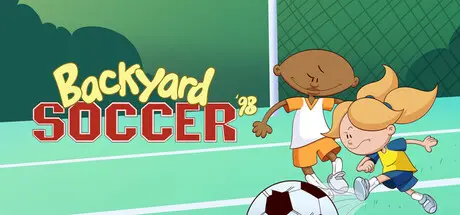
Backyard Soccer '98 Free Download (Build 16604532)
Featured Replies

header.webp

Game Details

Release Name:ย Backyard Soccer '98

Game Version:ย Build 16604532

Release Date: 27 Nov, 2024

Publisher: Playground Productions

Developer: Mega Cat Studios

Based On:ย CSF & Goldberg

Backyard Soccer '98 Direct Download - Game Review

Jump back onto the field with the 2nd game from the Backyard Sports Franchise, Backyard Soccer โ€˜98, now enhanced to run on modern systems. Coach your favorite Backyard athletes to the championship, play a pick-up-game on your favorite field, and listen to classic commentators Sunny Day and Earl Grey.

Backyard Soccer โ€˜98 captures the playful spirit of youth soccer. Play 6-on-6 soccer with point-and-click controls for passing, defending and scoring! Start a pick-up game for instant play or create a coach for League Play. In League Play, select 8 kids of your choice and work your way to the top of each division. If you play well enough to qualify, youโ€™ll compete in the โ€œAstonishingly Shiny Cup of All Cups Tournamentโ€ against kids from all over the world!

Play soccer like you did with friends in your neighborhood!

  • 30 Iconic Kid Athletes

  • 20 Unique Soccer Fields

  • Intense tie-breaking shoot-outsย 

  • Comical Power-ups

  • Hilarious Bloopers

  • Lively commentary from Sunny Day and Earl Grey

  • Multiple Divisions and Tournaments

To kick things off, choose a player and face Mr. Clanky for some penalty kick practice. This is where you can practice this crucial game deciding skill.


Game Screenshots

screenshot screenshot screenshot screenshot


Game Trailer


System Requirements

Minimum Requirements

Recommended Requirements

OS

Windows 10 32bit

Windows 10 32bit

Processor

2.0+ Ghz

2.0+ Ghz

Memory

512 MB RAM

1 GB RAM

Graphics

AMD Radeon HD 5670 1GB DDR3 Sapphire

NVidia Quadro K2000M or better (2GB VRAM)

DirectX

-

-

Storage

200 MB available space

200 MB available space


Installation Guide

  1. No Installation Needed: The game is pre-installed. Just download and extract.

  2. Extract: Right-click the .zip or .rar file and select "Extract Here" or "Extract to folder".

  3. Run: Find Soccer.exe inside the folder and run it.

Game Data & Settings

  • Change Language: Edit the file located at steam_settings/Configs.user.ini

  • Save Data Location: %USERPROFILE%/AppData/LocalLow/Mega Cat Studios/Backyard Soccer 1998/

Important Notes

๐Ÿ”ฅDOWNLOAD AREA๐Ÿ”ฅ

๐Ÿ”น210 MB๐Ÿ”น

Select the server you want to download with ZeiLink.

Download

  • Views 156
  • Created
  • Last Reply

Posted Images

Create an account or sign in to comment

Recently Browsing 0

  • No registered users viewing this page.

Account

Navigation

Search

Search

๐Ÿ”Ž Search Tip
For exact results, search using "game name" .
Without quotes, results may include unrelated titles.

Configure browser push notifications

Chrome (Android)
  1. Tap the lock icon next to the address bar.
  2. Tap Permissions โ†’ Notifications.
  3. Adjust your preference.
Chrome (Desktop)
  1. Click the padlock icon in the address bar.
  2. Select Site settings.
  3. Find Notifications and adjust your preference.
