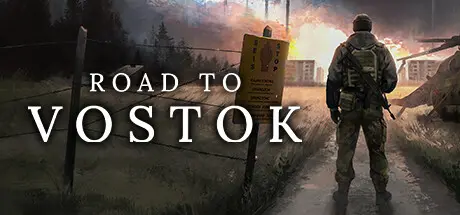
April 9Apr 9 Road to Vostok Game DetailsRelease Name: Road to VostokGame Version: v0.1.0.0 | Build 22674175Release Date: 7 Apr, 2026Publisher: Road to Vostok Ltd.Developer: Road to Vostok Ltd.Based On: CSFRoad to Vostok Direct Download - Game OverviewYour road begins in Area 05, an evacuated zone located in the southeastern part of Finland. In Area 05, you will find shelters, traders, tasks, and starting loot for initial survival. Your peaceful life in Area 05 is often interrupted by hostile Bandits, an anarchist group taking advantage of the lack of authority in the area. Once you have gathered enough loot and equipment, your road continues toward the east, where you will find the Border Zone, a guarded border line between Finland and Russia.Each Border Zone map has a crossing point with different challenges. Some crossing points may include mines or physical obstacles, while others require using waterways with boats. On top of these challenges, the Border Zone is guarded by a group called Guards. These foreign border guards are armed, corrupt, and often rely on air support to prevent people from crossing the border.The game uses a 24-hour day & night simulation where lighting conditions change dynamically with sun and moon cycles. You can manipulate game time by sleeping, but most of the time, you will need to prepare for darkness when roaming through the game world. The game has randomized weather states that vary from sunny to dark skies with thunder and everything in between. If you are lucky, you may even see northern lights on a clear night sky. If you survive long enough, the game world will shift from summer to winter, and you will start facing issues related to snow and cold. You can also choose constant summer or winter modes for your playthrough.Every playthrough is a different experience where loot and luck are core components of game progression. Scavenge, trade, and craft hundreds of unique items based on real-world parameters and progressive loot tiers. The game uses physically-based loot and loot containers, where loot never spawns in the same places. You can find hundreds of loot items in each map, and anything that logically looks like storage for loot is an interactable loot container. You can find consumables, clothing, medical items, tools, electronics, weapons, attachments, and much more.Handling loot and items is done through tetris-style inventories with dynamic icons, item combining, item stacking, and quick actions to make the looting experience seamless part of the game.Road to Vostok Screenshots Road to Vostok TrailerRoad to Vostok System Requirements Minimum RequirementsRecommended Requirements OSWindows 10 (64bit)Windows 10 (64bit) ProcessorIntel Core i5Intel Core i7 Memory8 GB RAM8 GB RAM GraphicsNVIDIA GeForce GTX 1060NVIDIA GeForce GTX 1080Ti DirectXVersion 12Version 12 Storage10 GB available space10 GB available space How to Install Road to VostokNo Installation Needed: The game is pre-installed. Just download and extract.Extract: Right-click the .zip or .rar file and select "Extract Here" or "Extract to folder".Run: Find RTV.exe inside the folder and run it.Important NotesTo support the Game Developer, Get It On Steam.🔥DOWNLOAD AREA🔥🔹3.24 GB🔹Select the server you want to download with ZeiLink.Download
May 22May 22 this game is very good but simply will not play a game without controller support. it's 2025, almost 2026, a vast amount of pc players use controllers at this point and there's no valid reason to not have controller support anymore. The technology is fully capable and easily implemented 👍SuphitSam





Create an account or sign in to comment