



Skip to content
View in the app

A better way to browse. Learn more.

ZeiGames

A full-screen app on your home screen with push notifications, badges and more.

To install this app on iOS and iPadOS
  1. Tap the Share icon in Safari
  2. Scroll the menu and tap Add to Home Screen.
  3. Tap Add in the top-right corner.
To install this app on Android
  1. Tap the 3-dot menu (โ‹ฎ) in the top-right corner of the browser.
  2. Tap Add to Home screen or Install app.
  3. Confirm by tapping Install.

Monsters are Coming! Free Download (v1.4.13.0 + Power Corrupts DLC)
Featured Replies

header.webp

Game Details

Release Name:ย Monsters are Coming!

Game Version:ย v1.4.13.0 | Build 23582588

Release Date: 20 Nov, 2025

Publisher: Raw Fury

Developer: Ludogram

Based On:ย CSF & Goldberg

Monsters are Coming! Direct Download - Game Review

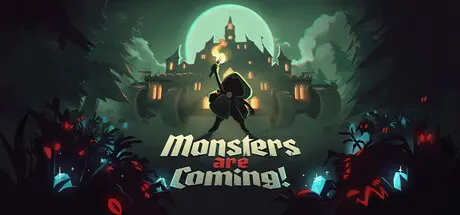
In Monsters are Coming! gather what resources you can to defend an ever-moving city. Are you ready to take on a never-ending army of darkness in a tower-survivor, action-rogue-lite on wheels?

-ย Fortify: The city must endure! Choose from a selection of town halls, place towers and create your own builds to maximise destruction. Equip defensive structures to repel monsters from the gates and keep the city moving forward, else the darkness will consume you!

-ย Forage: Gather wood, stone and gold as a persistent, multi-tasking hero. You must constantly balance risk vs reward while fighting back endless armies of monsters. Stray from the beaten path to find richer rewards or keep heading due south towards the safety of shelter.

-ย Fight:ย Beat Bad-Ass bosses, improve your abilities, overcome environmental obstacles and take charge of special weaponry to continually adapt your strategies. Or see your city turned to ash!

Youโ€™re the last hope for humanity, but itโ€™s a long road to the Ark.

-ย Build your city your way. Reach shelter and buy new districts from the city shop. Then strategically choose where to place them ย based on the needs of each run.

-ย Defend yourself. Choose from a variety of unique Town Halls, then add archery outposts, necromancer towers, and even fire-breathing dragons to protect it from the dangers beyond the walls.

-ย Unlock new possibilities: Find a build that works for you, keep upgrading and try to stay alive against increasingly powerful monsters the closer you get to the Ark!


Game Screenshots

screenshot screenshot screenshot screenshot


Game Trailer


System Requirements

Minimum Requirements

Recommended Requirements

OS

64-bit Windows 10

64-bit Windows 10

Processor

Intel Core i5-7500 Or AMD Ryzen 5 1600

Intel Core i5-11500 Or AMD Ryzen 5 5600X

Memory

16 GB RAM

16 GB RAM

Graphics

Nvidia GeForce GTX 1650 Or AMD Radeon RX 580

Nvidia GeForce RTX 3060 Or AMD Radeon RX 6600 XT

DirectX

Version 11

Version 11

Storage

5 GB available space

5 GB available space


Installation Guide

  1. No Installation Needed: The game is pre-installed. Just download and extract.

  2. Extract: Right-click the .zip or .rar file and select "Extract Here" or "Extract to folder".

  3. Run: Find Monsters Coming.exe inside the folder and run it.

Game Data & Settings

  • Change Language: Edit the file located at steam_settings/Configs.user.ini

  • Save Data Location: %USERPROFILE%/AppData/LocalLow/Ludogram/MonstersComing/save

Important Notes

DLC List

Added DLCs

Monsters are Coming! Power Corrupts

๐Ÿ”ฅDOWNLOAD AREA๐Ÿ”ฅ

๐Ÿ”น445 MB๐Ÿ”น

Select the server you want to download with ZeiLink.

Download

  • DicDale changed the title to Monsters are Coming! Free Download (v1.4.13.0 + Power Corrupts DLC)

  • Replies 1
  • Views 2.5k
  • Created
  • Last Reply

Top Posters In This Topic

Posted Images

Create an account or sign in to comment

Recently Browsing 0

  • No registered users viewing this page.

Account

Navigation

Search

Search

๐Ÿ”Ž Search Tip
For exact results, search using "game name" .
Without quotes, results may include unrelated titles.

Configure browser push notifications

Chrome (Android)
  1. Tap the lock icon next to the address bar.
  2. Tap Permissions โ†’ Notifications.
  3. Adjust your preference.
Chrome (Desktop)
  1. Click the padlock icon in the address bar.
  2. Select Site settings.
  3. Find Notifications and adjust your preference.