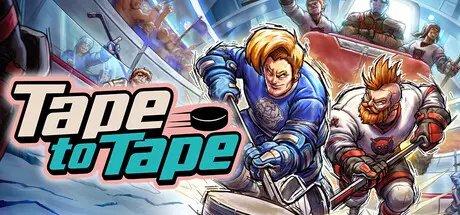
June 6Jun 6 Tape to Tape Game DetailsRelease Name: Tape to TapeGame Version: v0.1.18 | Build 21342796Release Date: 3 May, 2023Publisher: Excellent RectangleDeveloper: Excellent RectangleBased On: CSF & GoldbergTape to Tape Direct Download - Game OverviewExplore a gorgeous roguelite hockey world where every choice matters on your journey to restore hockey to its former glory. Hire unique players, manage your benchwarmers, discover synergies between them, choose new abilities, bribe the referees, visit the Blademaster for upgrades and a lot more.Take charge of a ragtag group of hockey players in a roguelite journey across a mysterious land. As the newly appointed captain, every choice matters on your path to discover the secret of hockey's last bastion. Hire superstars, utilize the synergy found between players, and harness ruthless abilities, all in favor of crafting an unbeatable team.Easier said than done, as the ultimate dream team doesn’t appear out of thin air. Use losses as an opportunity to visit the mighty Blademaster in between runs and permanently upgrade your hero for the battles ahead. When the Center is still flubbing every single face-off, there’s no shame in lining the ref’s pockets with some sweet “maple syrup.”A deep Roguelite campaign featuring countless powerups, events, boss battles and unique playersCreate and customize your teams and players with power-ups, artifacts, and personalized color optionsOver 40 different teams, each with unique synergies and colorful playersLocal, couch and Steam Remote Play multiplayer for up to 10 players Innovative goaltenders that react organically to any shot, deflected puck or rebound -goals never feel unfairA unique co-op campaign delivering a roguelite experience like no otherChallenge your friends in Tournament, Play now or Shootout modes or play the Campaign cooperativelyA unique gorgeous blend of hand-drawn 2D sprites and animations in a 3D environmentTape to Tape Screenshots Tape to Tape TrailerTape to Tape System Requirements Minimum RequirementsRecommended Requirements OSWindows 7Windows 10 Processor2.6 GHz Intel Quad Core2.6 GHz Intel Quad Core Memory2 GB RAM2 GB RAM GraphicsNVIDIA GeForce GT 750M, 2 GB Memory- DirectXVersion 11Version 11 Storage6 GB available space6 GB available space How to Install Tape to TapeNo Installation Needed: The game is pre-installed. Just download and extract.Extract: Right-click the .zip or .rar file and select "Extract Here" or "Extract to folder".Run: Find Tape to Tape.exe inside the folder and run it.Game Data & SettingsChange Language: Edit the file located at steam_settings/Configs.user.iniSave Data Location: %USERPROFILE%/AppData/LocalLow/Excellent Rectangle/Tape to Tape/Important NotesTo support the Game Developer, Get It On Steam.🔥DOWNLOAD AREA🔥🔹759 MB🔹Select the server you want to download with ZeiLink.Download





Create an account or sign in to comment