



Skip to content
View in the app

A better way to browse. Learn more.

ZeiGames

A full-screen app on your home screen with push notifications, badges and more.

To install this app on iOS and iPadOS
  1. Tap the Share icon in Safari
  2. Scroll the menu and tap Add to Home Screen.
  3. Tap Add in the top-right corner.
To install this app on Android
  1. Tap the 3-dot menu (⋮) in the top-right corner of the browser.
  2. Tap Add to Home screen or Install app.
  3. Confirm by tapping Install.

Dragon Age: The Veilguard Free Download (Build 17026604 + ALL DLC)
Featured Replies

header.webp

Game Details

Release Name: Dragon Age: The Veilguard

Game Version: Patch 5 | Build 17026604

Release Date: 31 Oct, 2024

Publisher: Electronic Arts

Developer: BioWare

Based On: CSF & Goldberg

Dragon Age: The Veilguard Direct Download - Game Review

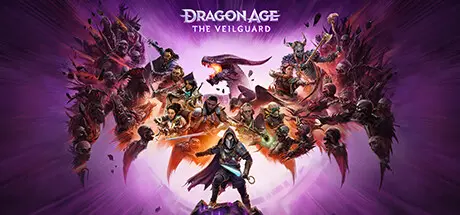
Enter the world of Thedas, a vibrant land of rugged wilderness, treacherous labyrinths, and glittering cities – steeped in conflict and secret magics. Now, a pair of corrupt ancient gods have broken free from centuries of darkness and are hellbent on destroying the world.

Thedas needs someone they can count on. Rise as Rook, Dragon Age’s newest hero. Be who you want to be and play how you want to play as you fight to stop the gods from blighting the world. But you can’t do this alone – the odds are stacked against you. Lead a team of seven companions, each with their own rich story to discover and shape, and together you will become The Veilguard.

Unite the Veilguard and defy the gods in Dragon Age: The Veilguard, an immersive single-player RPG.


Game Screenshots

screenshot screenshot screenshot screenshot


Game Trailer


System Requirements

Minimum Requirements

Recommended Requirements

OS

64 bit Windows 10/11

64 bit Windows 10/11

Processor

Intel Core i5-8400 / AMD Ryzen 3 3300X* (see notes)

Intel Core i9-9900K / AMD Ryzen 7 3700X* (see notes)

Memory

16 GB RAM

16 GB RAM

Graphics

NVIDIA GTX 970/1650 / AMD Radeon R9 290X

NVIDIA RTX 2070 / AMD Radeon RX 5700XT

DirectX

Version 12

Version 12

Storage

100 GB available space

100 GB available space


Installation Guide

  1. No Installation Needed: The game is pre-installed. Just download and extract.

  2. Extract: Right-click the .zip or .rar file and select "Extract Here" or "Extract to folder".

  3. Run: Find Dragon Age The Veilguard.exe inside the folder and run it.

Game Data & Settings

  • Change Language: Edit the file located at steam_settings/Configs.user.ini

  • Save Data Location: %USERPROFILE%/My Documents/BioWare/Dragon Age The Veilguard/save games

Important Notes

DLC List

Added DLCs

Dragon Age: The Veilguard Rook’s Weapons Appearance Offer

Dragon Age: The Veilguard Deluxe Edition Upgrade

Dragon Age: The Veilguard Pre-Order Content

🔥DOWNLOAD AREA🔥

🔹82.51 GB🔹

Select the server you want to download with ZeiLink.

Download

  • Replies 8
  • Views 772
  • Created
  • Last Reply

Top Posters In This Topic

Most Popular Posts

Posted Images

Just out of curiosity, Do you need an SSD to play, and does it have that issue of games not being saved if you don't have one?

2 hours ago, BlackX said:

Just out of curiosity, Do you need an SSD to play, and does it have that issue of games not being saved if you don't have one?

Nothing Like that, I finished this game last year I think without any issues

8 hours ago, DicDale said:

Added ratirlSmile

This is not Turn-Based btw mate, I think you might have meant to add the tag Party based RPG

10 hours ago, StrangeLeetx said:

Nothing Like that, I finished this game last year I think without any issues

This is not Turn-Based btw mate, I think you might have meant to add the tag Party based RPG

It made news on game sites that an SSD was required to play this game. They were talking like it was a sign of things to come for future games. There was also a well-known issue with saving your games. Without an SSD, you couldn't save your games. you would get an error. I tried playing the game when it first came out and ran into the save issue, and I think something else all because I don't have an SSD. So that's why I'm asking if we need it NOW that it's portable (thankfully).

Thanks, man, I finished the game on HDD before now.
I will play it again, without the latest update. The game didn't need an SSD to play, but if you have an SSD, it will improve the game's performance too much because the game has a lot of assets in every place

5 hours ago, nnnnn said:

Thanks, man, I finished the game on HDD before now.
I will play it again, without the latest update. The game didn't need an SSD to play, but if you have an SSD, it will improve the game's performance too much because the game has a lot of assets in every place

There was a well known issue about it not saving games because it needed an SSD, and when it came out one of the requirements was an SSD. Like you, I have an HDD. That's the reason I never got to play it. If this isn't an issue anymore, then I am gonna jump right into this one.

Create an account or sign in to comment

Recently Browsing 0

  • No registered users viewing this page.

Account

Navigation

Search

Search

🔎 Search Tip
For exact results, search using "game name" .
Without quotes, results may include unrelated titles.

Configure browser push notifications

Chrome (Android)
  1. Tap the lock icon next to the address bar.
  2. Tap Permissions → Notifications.
  3. Adjust your preference.
Chrome (Desktop)
  1. Click the padlock icon in the address bar.
  2. Select Site settings.
  3. Find Notifications and adjust your preference.
