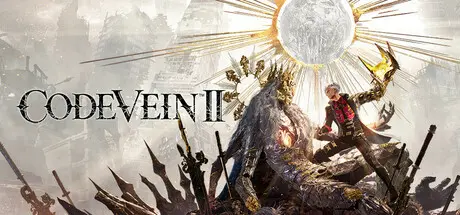
March 27Mar 27 CODE VEIN II Game DetailsRelease Name: CODE VEIN IIGame Version: v1.0 | Build 11111Release Date: 29 Jan, 2026Publisher: Bandai Namco Entertainment Inc.Developer: Bandai Namco Studios Inc.Based On: CSF & DenuvOwOCODE VEIN II Direct Download - Game OverviewIn a future world where humans and Revenants coexist...Due to the sudden appearance of the Luna Rapacis, Revenants have transformed into mindless monsters called Horrors. As a Revenant hunter, the player shall halt the world's inevitable collapse by traveling to the past with a girl called Lou who possesses the power to manipulate time.An epic adventure awaits, where you and your chosen partners explore a post-apocalyptic world, face fierce battles against powerful enemies, and uncover an epic story that transcends time.Embark on a journey that spans both the present and the past as you search for clues to prevent the world’s destruction. Alter the fates of key Revenant characters you encounter in the past, while uncovering lost histories and the hidden truths of the world.Dive into adrenaline-fueled battles where reading enemy moves and mastering your arsenal are key to survival. Unleash powerful skills, adapt on the fly, and conquer relentless foes in fights that deliver both intensity and triumph.Experience Code Vein II’s unique gameplay mechanic, where the player drains and acquires blood from enemies to unleash a variety of skills. With the series' new build system, you can freely customize weapons and skills to suit your own battle styles.Explore the world with trusted and powerful allies who can fight alongside you or enhance your abilities. Each partner brings unique abilities and deep connections that shape your journey.CODE VEIN II Screenshots CODE VEIN II TrailerCODE VEIN II System Requirements Minimum RequirementsRecommended Requirements OSWindows 11Windows 11 ProcessorIntel Core i5-9600K /AMD Ryzen 5 3600Intel Core i7-12700KF / AMD Ryzen 7 7800X3D Memory16 GB RAM16 GB RAM GraphicsNvidia GeForce GTX 1660 Super / AMD Radeon RX 5700 / Intel Arc B570Nvidia GeForce RTX 3080 / AMD Radeon RX 6800 DirectXVersion 12Version 12 Storage70 GB available space70 GB available space How to Install CODE VEIN IICopy the contents of the DenuvOwO folder to the game folder.Hypervisor releases require specific system features to be disabled.To prepare your system, run VBS.cmd and follow its instructions.Launch the game from its executable after proceeding with VBS.cmd.Once you are done playing, it is recommended to revert the changes.Game Data & SettingsChange Language: Edit the file located at steam_settings/Configs.user.iniImportant NotesTo support the Game Developer, Get It On Steam.DLC ListAdded DLCsCODE VEIN II - Ultimate Upgrade PackCODE VEIN II - Deluxe Upgrade PackCODE VEIN II - Stylized Forma SetCODE VEIN II - CODE VEIN Character Costume SetCODE VEIN II - Custom Outfit Pack🔥DOWNLOAD AREA🔥🔹60.55 GB🔹Select the server you want to download with ZeiLink.Download





Create an account or sign in to comment