



Skip to content
View in the app

A better way to browse. Learn more.

ZeiGames

A full-screen app on your home screen with push notifications, badges and more.

To install this app on iOS and iPadOS
  1. Tap the Share icon in Safari
  2. Scroll the menu and tap Add to Home Screen.
  3. Tap Add in the top-right corner.
To install this app on Android
  1. Tap the 3-dot menu (โ‹ฎ) in the top-right corner of the browser.
  2. Tap Add to Home screen or Install app.
  3. Confirm by tapping Install.

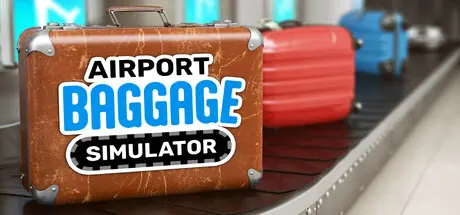
Airport Baggage Simulator Free Download (v1.0.49 + ALL DLC)
Featured Replies

header.webp

Game Details

Release Name:ย Airport Baggage Simulator

Game Version:ย v1.0.49 | Build 23892826

Release Date: 28 May, 2026

Publisher: Three River Games (3RG)

Developer: Three River Games (3RG)

Based On:ย CSF & Goldberg

Airport Baggage Simulator Direct Download - Game Review

Welcome to Airport Baggage Simulator - My name is Gรผnther Gewinn and I am the boss here! Recently, a position opened up with us because our previous baggage handler, Rolf, has changed careers.

Flights arrive and matching baggage is delivered for inspection. You pick it up, place it on the table, scan it green or red depending on whether the tag is correct, and then place it on the corresponding output belt. After that, you load it onto a baggage cart at the gate and move on to the next suitcase.

The goal is clear: You want to make the processes in the terminal more efficient and automate them. To do that, you can buy conveyor belts and machines on your tablet. Eventually, you leave the checking and sorting to the machines: baggage is transported through the air by a launcher module onto the next belt and sorted by a scanner machine without you having to intervene.

Our deliveries run reliably: Our employee Horst is responsible for delivering packages. Everything you order on your tablet, he delivers to you in the shortest possible time and in top quality so you can build it directly in the terminal.

Through your work, you can earn promotions and take on new responsibilities. These promotions let you unlock new checks, such as weighing suitcases or using the Substance Sniffer. You can also buy expansions for your hangar on the tablet so you have more space to build.


Game Screenshots

screenshot screenshot screenshot screenshot


Game Trailer


System Requirements

Minimum Requirements

Recommended Requirements

OS

Windows 10, Windows 11

Windows 10, Windows 11

Processor

Intel i5-series Quadcore, AMD Ryzen-series

Intel i5-series Quadcore, AMD Ryzen-series

Memory

8 GB RAM

8 GB RAM

Graphics

NVIDIA GeForce GTX 1060, AMD Radeon RX 590

NVIDIA GeForce GTX 1080, AMD Radeon RX Vega 64

DirectX

-

-

Storage

8 GB available space

8 GB available space


Installation Guide

  1. No Installation Needed: The game is pre-installed. Just download and extract.

  2. Extract: Right-click the .zip or .rar file and select "Extract Here" or "Extract to folder".

  3. Run: Find Airport Baggage Simulator.exe inside the folder and run it.

Game Data & Settings

  • Change Language: Edit the file located at steam_settings/Configs.user.ini

  • Save Data Location: %USERPROFILE%/AppData/LocalLow/Three River Games/Airport Baggage Simulator

Important Notes

DLC List

Added DLCs

Airport Baggage Simulator - The Official Book

Airport Baggage Simulator - Airport Code Quiz

๐Ÿ”ฅDOWNLOAD AREA๐Ÿ”ฅ

๐Ÿ”น2.27 GB๐Ÿ”น

Select the server you want to download with ZeiLink.

Download

  • Replies 2
  • Views 1.4k
  • Created
  • Last Reply

Top Posters In This Topic

Most Popular Posts

Posted Images

  • DicDale changed the title to Airport Baggage Simulator Free Download (v1.0.23 + ALL DLC)
  • 4 weeks later...
  • DicDale changed the title to Airport Baggage Simulator Free Download (v1.0.49 + ALL DLC)

Create an account or sign in to comment

Recently Browsing 0

  • No registered users viewing this page.

Account

Navigation

Search

Search

๐Ÿ”Ž Search Tip
For exact results, search using "game name" .
Without quotes, results may include unrelated titles.

Configure browser push notifications

Chrome (Android)
  1. Tap the lock icon next to the address bar.
  2. Tap Permissions โ†’ Notifications.
  3. Adjust your preference.
Chrome (Desktop)
  1. Click the padlock icon in the address bar.
  2. Select Site settings.
  3. Find Notifications and adjust your preference.