



Skip to content
View in the app

A better way to browse. Learn more.

ZeiGames

A full-screen app on your home screen with push notifications, badges and more.

To install this app on iOS and iPadOS
  1. Tap the Share icon in Safari
  2. Scroll the menu and tap Add to Home Screen.
  3. Tap Add in the top-right corner.
To install this app on Android
  1. Tap the 3-dot menu (โ‹ฎ) in the top-right corner of the browser.
  2. Tap Add to Home screen or Install app.
  3. Confirm by tapping Install.

Jotunnslayer: Hordes of Hel Free Download (v1.1.0.90430 + ALL DLC)
Featured Replies

header.webp

Game Details

Release Name:ย Jotunnslayer: Hordes of Hel

Game Version:ย v1.1.0.90430 | Build 21055091

Release Date: 3 Sep, 2025

Publisher: Grindstone

Developer: Games Farm, ARTillery

Based On:ย CSF & Goldberg

Jotunnslayer: Hordes of Hel Direct Download - Game Review

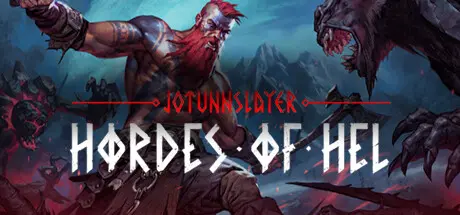
Jotunnslayer: Hordes of Hel is a gripping roguelike, horde-survivor game with top-notch graphics. Choose one of the damned heroes and attempt to pass the Gods' test by fighting your way through waves of mythical adversaries.

If you succeed in all the trials, you will become the chosen Jotunnslayer.

Engage in adrenaline-fueled battles, fighting off endless waves of enemies as you strive to survive. Complete various objectives, defeat the final boss, and earn the ultimate prizes.
Take on challenging missions during each run to test your skills and enrich your journey through the mythic realms. These quests may involve completing specific objectives or overcoming additional obstacles as you battle relentless enemies on your way to the final challenge.
Improve your abilities with meta-progression systems that offer unlockable perks, in-game skills, or upgrades. As you progress further, you'll gain access to new abilities, weapons, and bonuses that allow you to customize your playstyle and improve your chances of survival.
Select from a roster of diverse characters, each equipped with unique skills, abilities, and weapons. Mix and match combinations to refine your builds and overcome the many challenges posed by the Hordes of Hel.

Face a variety of increasingly challenging Boss enemies as you progress through the game. Outmaneuver and defeat these formidable foes using the environment, your skills, and abilities to gain the advantage and achieve victory.


Game Screenshots

screenshot screenshot screenshot screenshot


Game Trailer


System Requirements

Minimum Requirements

Recommended Requirements

OS

Windows 10 64bit

Windows 10 64bit

Processor

Intelยฎ Coreโ„ข i7-6700 or AMDโ„ข Ryzen 5 2600x

Intelยฎ Coreโ„ข i7-8700 or AMDโ„ข Ryzen 7 3700x

Memory

8 GB RAM

8 GB RAM

Graphics

NVIDIAยฎ GeForceยฎ GTX 960 or Intelยฎ Arcโ„ข A380

NVIDIAยฎ GeForceยฎ GTX 1060 or Intelยฎ Arcโ„ข A580

DirectX

Version 11

-

Storage

15 GB available space

15 GB available space


Installation Guide

  1. No Installation Needed: The game is pre-installed. Just download and extract.

  2. Extract: Right-click the .zip or .rar file and select "Extract Here" or "Extract to folder".

  3. Run: Find Launcher.exe inside the folder and run it.

Game Data & Settings

  • Change Language: Edit the file located at steam_settings/Configs.user.ini

Important Notes

DLC List

Added DLCs

Jotunnslayer: Hordes of Hel - Freyr's Gilded Armor Pack

Jotunnslayer: Hordes of Hel - Tyr's Mythical Armor Pack

Jotunnslayer: Hordes of Hel - Bifrost Legendary Armor Pack (Jotunnslayer: Hordes of Hel - Heimdal's Bifrost Armor Pack)

Jotunnslayer: Hordes of Hel - Digital Artbook

Jotunnslayer: Hordes of Hel - Odinโ€™s Legendary Armor Pack

๐Ÿ”ฅDOWNLOAD AREA๐Ÿ”ฅ

๐Ÿ”น11.97 GB๐Ÿ”น

Select the server you want to download with ZeiLink.

Download

  • Views 912
  • Created
  • Last Reply

Posted Images

Create an account or sign in to comment

Recently Browsing 0

  • No registered users viewing this page.

Account

Navigation

Search

Search

๐Ÿ”Ž Search Tip
For exact results, search using "game name" .
Without quotes, results may include unrelated titles.

Configure browser push notifications

Chrome (Android)
  1. Tap the lock icon next to the address bar.
  2. Tap Permissions โ†’ Notifications.
  3. Adjust your preference.
Chrome (Desktop)
  1. Click the padlock icon in the address bar.
  2. Select Site settings.
  3. Find Notifications and adjust your preference.
