



Skip to content
View in the app

A better way to browse. Learn more.

ZeiGames

A full-screen app on your home screen with push notifications, badges and more.

To install this app on iOS and iPadOS
  1. Tap the Share icon in Safari
  2. Scroll the menu and tap Add to Home Screen.
  3. Tap Add in the top-right corner.
To install this app on Android
  1. Tap the 3-dot menu (โ‹ฎ) in the top-right corner of the browser.
  2. Tap Add to Home screen or Install app.
  3. Confirm by tapping Install.

Prehistoric Hunt Free Download (v0.128.07 + Online)
Featured Replies

header.webp

Game Details

Release Name:ย Prehistoric Hunt

Game Version:ย v0.128.07 | Build 23196303

Release Date: 1 Dec, 2020

Publisher: Antiproto Studios

Developer: Antiproto Studios

Based On:ย CSF & Goldberg

Prehistoric Hunt Direct Download - Game Review

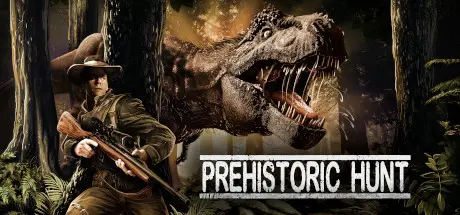
In Prehistoric Hunt your task is to hunt the rarest dinosaurs from a challenging primal environment. Will you be able to complete your hunting contracts or will you turn into the hunted?

You can hunt a wide variety of 21 dinosaur species including Tyrannosaurus Rex, Spinosaurus, Stegosaurus, Quetzalcoatlus, and Utahraptor. Each of them have their own behavior and characteristics. Our species live on land, water, and air! Beware, as the dinosaurs can hunt both you and each other.

Explore dense tropical jungles, open plains and high mountains. The weather changes dynamically. Experience a full day and night cycle. Discover new special locations. Move on foot, swim or fast travel. Find story notes to learn about the history of the island.

Build a customizable trophy lodge with multiple rooms to store your full-sized dinosaur trophies. Choose what to include from a selection of mounts, furniture and rooms.

Take trophy shots with your catch and store memories from your hunting trips.

Play solo or multiplayer with up to 12 players.


Game Screenshots

screenshot screenshot screenshot screenshot


Game Trailer


System Requirements

Minimum Requirements

Recommended Requirements

OS

Windows 10

Windows 11

Processor

Dual-Core processor

Quad-Core processor

Memory

8 GB RAM

16 GB RAM

Graphics

Radeon Vega 8 Graphics or NVIDIA GeForce 940M

AMD Radeon HD 7970 or NVIDIA GTX 770

DirectX

Version 11

Version 11

Storage

12 GB available space

12 GB available space


Installation Guide

  1. No Installation Needed: The game is pre-installed. Just download and extract.

  2. Extract: Right-click the .zip or .rar file and select "Extract Here" or "Extract to folder".

  3. Run: Find Prehistoric_Hunt.exe inside the folder and run it.

Multiplayer & Online (Optional)

  • Play Online: Download the Online Fix file and apply it to the game folder.

  • Please go to the online fix page and read the guide.

Game Data & Settings

  • Change Language: Edit the file located at steam_settings/Configs.user.ini

Important Notes

๐Ÿ”ฅDOWNLOAD AREA๐Ÿ”ฅ

๐Ÿ”น5.50 GB๐Ÿ”น

Select the server you want to download with ZeiLink.

Download

Online Fix - (RAR pass: rexagames.com)

  • Views 946
  • Created
  • Last Reply

Posted Images

Create an account or sign in to comment

Recently Browsing 0

  • No registered users viewing this page.

Account

Navigation

Search

Search

๐Ÿ”Ž Search Tip
For exact results, search using "game name" .
Without quotes, results may include unrelated titles.

Configure browser push notifications

Chrome (Android)
  1. Tap the lock icon next to the address bar.
  2. Tap Permissions โ†’ Notifications.
  3. Adjust your preference.
Chrome (Desktop)
  1. Click the padlock icon in the address bar.
  2. Select Site settings.
  3. Find Notifications and adjust your preference.
