



Skip to content
View in the app

A better way to browse. Learn more.

ZeiGames

A full-screen app on your home screen with push notifications, badges and more.

To install this app on iOS and iPadOS
  1. Tap the Share icon in Safari
  2. Scroll the menu and tap Add to Home Screen.
  3. Tap Add in the top-right corner.
To install this app on Android
  1. Tap the 3-dot menu (โ‹ฎ) in the top-right corner of the browser.
  2. Tap Add to Home screen or Install app.
  3. Confirm by tapping Install.

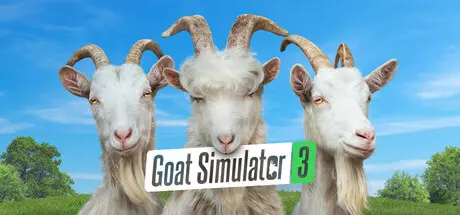
Goat Simulator 3 Free Download (v1.2.1.1 + ALL DLC + Online)
Featured Replies

header.webp

Game Details

Release Name:ย Goat Simulator 3

Game Version:ย v1.2.1.1 | Build 22761328

Release Date: 15 Feb, 2024

Publisher: Coffee Stain Publishing

Developer: Coffee Stain North

Based On:ย CSF & RUNE

Goat Simulator 3 Direct Download - Game Review

Pilgor's baaack! Take life by the horns in Goat Simulator 3 today!
Gather your herd and venture forth into Goat Simulator 3; an all-new*, totally realistic**, sandbox farmyard*** experience that puts you back in the hooves of no one's favourite female protagonist.

Join Pilgor and get ready to create your own whirlwind adventure on the island of San Angora. Lick, headbutt, and ruin your way through our open world in the biggest waste of your time since the original Goat Simulator! We won't tell you how to play (except in the tutorial), but merely provide the means to be the goats of your dreams.


Game Screenshots

screenshot screenshot screenshot screenshot


Game Trailer


System Requirements

Minimum Requirements

Recommended Requirements

OS

Windows 10

Windows 10

Processor

i5 4690k

i5 9400F

Memory

8 GB RAM

16 GB RAM

Graphics

GTX 1050 Ti (4GB VRAM)

GTX 1070 (8GB VRAM)

DirectX

Version 11

Version 11

Storage

12 GB available space

12 GB available space


Installation Guide

  1. No Installation Needed: The game is pre-installed. Just download and extract.

  2. Extract: Right-click the .zip or .rar file and select "Extract Here" or "Extract to folder".

  3. Run: Find Goat2.exe inside the folder and run it.

Multiplayer & Online (Optional)

  • Play Online: Download the Online Fix file and apply it to the game folder.

  • Please go to the online fix page and read the guide.

Game Data & Settings

  • Change Language: Edit the file located at steam_emu.ini

  • Save Data Location: %USERPROFILE%/AppData/Local/Goat2/Saved/SaveGames

Important Notes

DLC List

Added DLCs

Goat Simulator 3 โ€“ Buck to the Future Pack

Goat Simulator 3 โ€“ Baadlands: Furry Road

Goat Simulator 3 - Super Duper Pack

Goat Simulator 3 - Hocus Pocus Pack

Goat Simulator 3 - Multiverse of Nonsense

Goat Simulator 3 - Digital Downgrade

๐Ÿ”ฅDOWNLOAD AREA๐Ÿ”ฅ

๐Ÿ”น6.98 GB๐Ÿ”น

Select the server you want to download with ZeiLink.

Download

Online Fix - (RAR pass: rexagames.com)

  • DicDale changed the title to Goat Simulator 3 Free Download (v1.2.1.1 + ALL DLC + Online)

  • Replies 3
  • Views 1.3k
  • Created
  • Last Reply

Top Posters In This Topic

Posted Images

for some odd reason the dlcs are locked and it says unavailable for purchase even tho i downloaded the latest release any fix? and yes i tried opening steam and the game and it didnt work

Screenshot (108).png

Edited by ghuman49

6 minutes ago, ghuman49 said:

for some odd reason the dlcs are locked and it says unavailable for purchase even tho i downloaded the latest release any fix? and yes i tried opening steam and the game and it didnt work

Screenshot (108).png

Just now, DicDale said:

I fixed now, but need a re-download game. Also you can online fix.

thanks!๐Ÿซ 

Create an account or sign in to comment

Recently Browsing 0

  • No registered users viewing this page.

Account

Navigation

Search

Search

๐Ÿ”Ž Search Tip
For exact results, search using "game name" .
Without quotes, results may include unrelated titles.

Configure browser push notifications

Chrome (Android)
  1. Tap the lock icon next to the address bar.
  2. Tap Permissions โ†’ Notifications.
  3. Adjust your preference.
Chrome (Desktop)
  1. Click the padlock icon in the address bar.
  2. Select Site settings.
  3. Find Notifications and adjust your preference.