



Skip to content
View in the app

A better way to browse. Learn more.

ZeiGames

A full-screen app on your home screen with push notifications, badges and more.

To install this app on iOS and iPadOS
  1. Tap the Share icon in Safari
  2. Scroll the menu and tap Add to Home Screen.
  3. Tap Add in the top-right corner.
To install this app on Android
  1. Tap the 3-dot menu (โ‹ฎ) in the top-right corner of the browser.
  2. Tap Add to Home screen or Install app.
  3. Confirm by tapping Install.

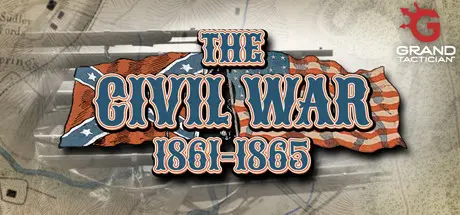
Grand Tactician: The Civil War (1861-1865) Free Download (v1.1420 + Whiskey & Lemons DLC)
Featured Replies

header.webp

Game Details

Release Name:ย Grand Tactician: The Civil War (1861-1865)

Game Version:ย v1.1420 | Build 14703111

Release Date: 24 Sep, 2021

Publisher: Grand Engineer Corps

Developer: Grand Engineer Corps

Based On:ย CSF & Goldberg

Grand Tactician: The Civil War (1861-1865) Direct Download - Game Review

Grand Tactician: The Civil War (1861-1865) is a real-time strategy game combining a strategic campaign with tactical battle game-play. Run your nation, muster, manage and support great armies, and maneuver them to defeat the enemy. Once the opposing armies meet, command your troops to victory in battles fought on historical battlefields.

Choose your side in the American Civil War: Real-time campaign, spanning from Secession to the end of the war, with historical objectives for both sides.
Five campaign scenarios (Pre-War, 1861, 1862, 1863, 1864) and twenty (20) stand-alone battles from 1st Manassas in 1861 to Appomattox Court House in 1865.
Change history: What if European superpowers intervened to end the war, or Lincoln lost the presidential election of 1864?
Scottโ€™s Great Snake: Lay siege, raid and blockade your enemy on land and sea or use blockade runners to keep the life-lines to Europe open.
From Fort Sumter to Appomattox: Watch closely the morale of your citizens and troops. As the war drags on, fervor turns to fatigue, the treasury threatens to run dry, and measures like drafting will cause unrest.
Keep the armies marching: Build and manage the flow of supplies to your armies. Utilize and expand railroad lines to supply and move armies for the first time in history!
Pivotal battles: Fight battles lasting multiple days on historical battlefields. Use engineers to build pontoons and dig trenches, see reinforcements change the tide and commit your reserves to defeat the enemy.
Grant vs. Lee: Manage hundreds of historical commanders with personal attributes and specialization. Famous commanders inspire soldiers and citizens alike and loss of reputation can be irreparable.
Command Great Armies: Huge armies of infantry, cavalry and artillery, with realistic command structures and historical Order of Battle.
Bring the Civil War to life: Amazing Civil War re-enactment and combat footage from LionHeart FilmWorks, and an original soundtrack of old time music and drum and fife band.


Game Screenshots

screenshot screenshot screenshot screenshot


Game Trailer


System Requirements

Minimum Requirements

Recommended Requirements

OS

Windows 10 64bit

Windows 10 64bit

Processor

-

-

Memory

6 GB RAM

6 GB RAM

Graphics

2 GB

2 GB

DirectX

Version 11

Version 11

Storage

10 GB available space

10 GB available space


Installation Guide

  1. No Installation Needed: The game is pre-installed. Just download and extract.

  2. Extract: Right-click the .zip or .rar file and select "Extract Here" or "Extract to folder".

  3. Run: Find Launcher.exe inside the folder and run it.

Game Data & Settings

  • Change Language: Edit the file located at steam_settings/Configs.user.ini

Important Notes

DLC List

Added DLCs

Grand Tactician: The Civil War - Whiskey & Lemons

๐Ÿ”ฅDOWNLOAD AREA๐Ÿ”ฅ

๐Ÿ”น6.40 GB๐Ÿ”น

Select the server you want to download with ZeiLink.

Download

  • Views 600
  • Created
  • Last Reply

Posted Images

Create an account or sign in to comment

Recently Browsing 0

  • No registered users viewing this page.

Account

Navigation

Search

Search

๐Ÿ”Ž Search Tip
For exact results, search using "game name" .
Without quotes, results may include unrelated titles.

Configure browser push notifications

Chrome (Android)
  1. Tap the lock icon next to the address bar.
  2. Tap Permissions โ†’ Notifications.
  3. Adjust your preference.
Chrome (Desktop)
  1. Click the padlock icon in the address bar.
  2. Select Site settings.
  3. Find Notifications and adjust your preference.
