



Skip to content
View in the app

A better way to browse. Learn more.

ZeiGames

A full-screen app on your home screen with push notifications, badges and more.

To install this app on iOS and iPadOS
  1. Tap the Share icon in Safari
  2. Scroll the menu and tap Add to Home Screen.
  3. Tap Add in the top-right corner.
To install this app on Android
  1. Tap the 3-dot menu (โ‹ฎ) in the top-right corner of the browser.
  2. Tap Add to Home screen or Install app.
  3. Confirm by tapping Install.

Corner Shop: NightShift Free Download (v1.23.47.204)
Featured Replies

header.webp

Game Details

Release Name:ย Corner Shop: NightShift

Game Version:ย v1.23.47.204 | Build 22889656

Release Date: 12 Mar, 2026

Publisher: Live Motion Games, PlayWay S.A

Developer: Live Motion Games

Based On:ย CSF & Goldberg

Corner Shop: NightShift Direct Download - Game Review

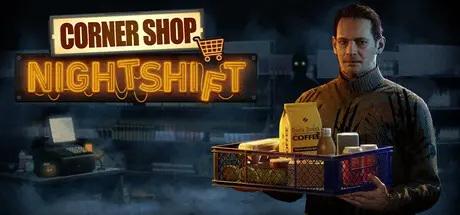
Corner Shop: Nightshift is a first-person narrative horror sim set in a failing convenience store.
You play as Adam Callahan, trying to put your life back together.

  • Story Mode: ~15ย hours at an average pace, with 4 endings based on player choices.

  • Endless Mode: Infinite gameplay focused on growing and managing the store, with ongoing horror elements.

  • Streamer Mode: Twitch integration where viewers can trigger actions on the map, including customers and horror events.

A night shift and a broken life. Blackouts, alarms, and unsettling customers pull you into a puzzle you canโ€™t escape. Find the truth, manage your stress, and donโ€™t let paranoia win. Take your meds. Keep going.

Stock shelves, clean up, take deliveries, scan items, and serve customers with snacks, sandwiches, and kebabs. Upgrade the store with cameras, alarms, and stronger locks. Manage your time, your money, and your sanity. Meds donโ€™t pay for themselves.

You play as Adam Callahan. His wife is gone, his daughter was taken, and his life is falling apart. He works the night shift to prove he can start over, but the store keeps dragging his past back to the surface, out of order and out of his control. Your choices shape what you uncover and which ending you reach.


Game Screenshots

screenshot screenshot screenshot screenshot


Game Trailer


System Requirements

Minimum Requirements

Recommended Requirements

OS

Windows 10

Win 11

Processor

Intel Core i5-8400 or AMD Ryzen 5 1600

Intel Core i7-9700K or AMD Ryzen 5 5600X

Memory

8 GB RAM

8 GB RAM

Graphics

NVIDIA GeForce RTX 2060 or AMD Radeon RX 6700 XT

NVIDIA GeForce RTX 3060 Ti or AMD Radeon RX 6700 XT

DirectX

-

-

Storage

20 GB available space

20 GB available space


Installation Guide

  1. No Installation Needed: The game is pre-installed. Just download and extract.

  2. Extract: Right-click the .zip or .rar file and select "Extract Here" or "Extract to folder".

  3. Run: Find NightShift.exe inside the folder and run it.

Game Data & Settings

  • Change Language: Edit the file located at steam_settings/Configs.user.ini

  • Save Data Location: %USERPROFILE%/AppData/Local/NightShift_Prototype/Saved/SaveGames

Important Notes

๐Ÿ”ฅDOWNLOAD AREA๐Ÿ”ฅ

๐Ÿ”น10.13 GB๐Ÿ”น

Select the server you want to download with ZeiLink.

Download

  • Views 614
  • Created
  • Last Reply

Posted Images

Create an account or sign in to comment

Recently Browsing 0

  • No registered users viewing this page.

Account

Navigation

Search

Search

๐Ÿ”Ž Search Tip
For exact results, search using "game name" .
Without quotes, results may include unrelated titles.

Configure browser push notifications

Chrome (Android)
  1. Tap the lock icon next to the address bar.
  2. Tap Permissions โ†’ Notifications.
  3. Adjust your preference.
Chrome (Desktop)
  1. Click the padlock icon in the address bar.
  2. Select Site settings.
  3. Find Notifications and adjust your preference.
