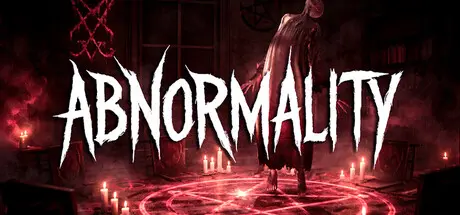
November 2, 2025Nov 2 Abnormality Game DetailsRelease Name: AbnormalityGame Version: v0.5.2.4 | Build 20619476Release Date: 28 Oct, 2024Publisher: Nightmare StudiosDeveloper: Nightmare StudiosBased On: CSF & GoldbergAbnormality Direct Download - Game OverviewAbnormality is a realistic co-op ghost-hunting horror game where you investigate abandoned, restricted locations, gather evidence, identify the ghost, and survive the hunt.Investigations begin in daytime, giving you time to explore, learn the map, and prepare before the danger truly begins.As night falls, the atmosphere shifts, visibility drops, and the ghosts begin to emerge.Unlike slower ghost-hunting games, Abnormality lets you actually sprint, allowing for real chases where movement, awareness, and quick decisions matter.When darkness takes over, night vision becomes your last resort.Abnormality Screenshots Abnormality TrailerAbnormality System Requirements Minimum RequirementsRecommended Requirements OSWindows 10 (64-BIT Required)Windows 10 (64-BIT Required) ProcessorIntel Core i5-7400 or AMD Ryzen 3 1200Intel Core i5-9400F or AMD Ryzen 5 3500 MemoryNaN MB RAMNaN MB RAM GraphicsNVIDIA GeForce GTX 1050 or AMD Radeon RX 560NVIDIA GeForce RTX 2060 or AMD Radeon RX 5700 DirectX-- StorageNaN MB available spaceNaN MB available space How to Install AbnormalityNo Installation Needed: The game is pre-installed. Just download and extract.Extract: Right-click the .zip or .rar file and select "Extract Here" or "Extract to folder".Run: Find Abnormality.exe inside the folder and run it.Multiplayer & Online (Optional)Play Online: Download the Online Fix file and apply it to the game folder.Please go to the online fix page and read the guide.Game Data & SettingsChange Language: Edit the file located at steam_settings/Configs.user.iniSave Data Location: [Steam Library]/steamapps/common/Abnormality/Saved/SaveGamesImportant NotesTo support the Game Developer, Get It On Steam.🔥DOWNLOAD AREA🔥🔹9.92 GB🔹Select the server you want to download with ZeiLink.DownloadOnline Fix - (RAR pass: zeigames.com)





Create an account or sign in to comment