



Skip to content
View in the app

A better way to browse. Learn more.

ZeiGames

A full-screen app on your home screen with push notifications, badges and more.

To install this app on iOS and iPadOS
  1. Tap the Share icon in Safari
  2. Scroll the menu and tap Add to Home Screen.
  3. Tap Add in the top-right corner.
To install this app on Android
  1. Tap the 3-dot menu (โ‹ฎ) in the top-right corner of the browser.
  2. Tap Add to Home screen or Install app.
  3. Confirm by tapping Install.

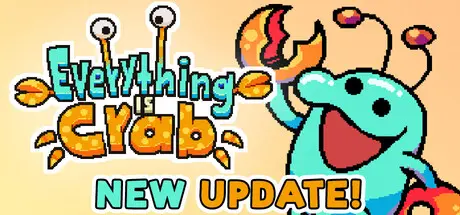
Everything is Crab: The Animal Evolution Roguelite Free Download (Build 23052099 + Supporter Pack DLC)

Featured Replies

header.webp

Game Details

Release Name:ย Everything is Crab: The Animal Evolution Roguelite

Game Version:ย v1.0.0.8074 | Build 23052099

Release Date: 8 May, 2026

Publisher: Secret Mode

Developer: Odd Dreams Digital

Based On:ย CSF & Goldberg

Everything is Crab: The Animal Evolution Roguelite Direct Download - Game Review

Set in aย living ecosystem, 'Everything is Crab' is a cute, challenging, highly replayable action roguelite. Make animal inspired evolutionary choices to concoct your own unique creature every run, both mechanically and visually.

It's Spore meets Modern Roguelites

As everybody knows, eventually, every organism ends up evolving into a crab. Right?

Well, except for you. Choose your own evolutionary path and strategy to thrive and defeat convergent evolution. Take that, science!

Over 125 abilities combine to create a plethora of different builds and playstyles: Become a wily trickster, a ferocious predator, a gregarious leader, a nimble nomad, or take on any number of other survival strategies.

Legs! Claws! Pincers! Wings! More Legs! Fur! Tail! Scales!ย Tentacles! I SAID MORE LEGS!!!
Build your formidable, visually awkward chimera or get Darwin'd in the process.


Game Screenshots

screenshot screenshot screenshot screenshot


Game Trailer


System Requirements

Minimum Requirements

Recommended Requirements

OS

Windows 10

Windows 10

Processor

1.8 ghz with SSE2

3.5 ghz with SSE2

Memory

4 GB RAM

8 GB RAM

Graphics

DX11, DX12 capable

DX11, DX12 capable

DirectX

-

-

Storage

2 GB available space

2 GB available space


Installation Guide

  1. No Installation Needed: The game is pre-installed. Just download and extract.

  2. Extract: Right-click the .zip or .rar file and select "Extract Here" or "Extract to folder".

  3. Run: Find Launcher.exe inside the folder and run it.

Game Data & Settings

  • Change Language: Edit the file located at steam_settings/Configs.user.ini

  • Save Data Location: %USERPROFILE%/AppData/LocalLow/Odd Dreams Digital/Everything is Crab/SyncedData/Steam

Important Notes

DLC List

Added DLCs

Everything is Crab - Supporter Pack

๐Ÿ”ฅDOWNLOAD AREA๐Ÿ”ฅ

๐Ÿ”น235 MB๐Ÿ”น

Select the server you want to download with ZeiLink.

Download

  • DicDale changed the title to Everything is Crab: The Animal Evolution Roguelite Free Download (Build 23052099 + Supporter Pack DLC)
  • Replies 3
  • Views 2.9k
  • Created
  • Last Reply

Top Posters In This Topic

Posted Images

Steam bypass isn't working for me. When I try to open, Steam has the "No Licences" error and the game comes up with an error saying"opened outside of Steam, game will not work. Please try again" and then force closes before it hits the main menu

  • Author
6 hours ago, RoamingBullet said:

Steam bypass isn't working for me. When I try to open, Steam has the "No Licences" error and the game comes up with an error saying"opened outside of Steam, game will not work. Please try again" and then force closes before it hits the main menu

You need to use Launcher.exe.

Create an account or sign in to comment

Recently Browsing 0

  • No registered users viewing this page.

Account

Navigation

Search

Search

๐Ÿ”Ž Search Tip
For exact results, search using "game name" .
Without quotes, results may include unrelated titles.

Configure browser push notifications

Chrome (Android)
  1. Tap the lock icon next to the address bar.
  2. Tap Permissions โ†’ Notifications.
  3. Adjust your preference.
Chrome (Desktop)
  1. Click the padlock icon in the address bar.
  2. Select Site settings.
  3. Find Notifications and adjust your preference.