



Skip to content
View in the app

A better way to browse. Learn more.

ZeiGames

A full-screen app on your home screen with push notifications, badges and more.

To install this app on iOS and iPadOS
  1. Tap the Share icon in Safari
  2. Scroll the menu and tap Add to Home Screen.
  3. Tap Add in the top-right corner.
To install this app on Android
  1. Tap the 3-dot menu (โ‹ฎ) in the top-right corner of the browser.
  2. Tap Add to Home screen or Install app.
  3. Confirm by tapping Install.

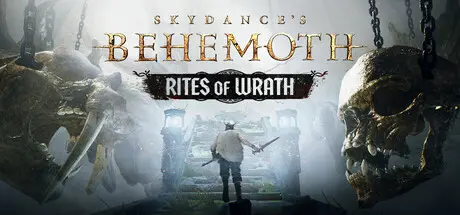
Skydance's BEHEMOTH Free Download (Build 18815105)
Featured Replies

header.webp

Game Details

Release Name:ย Skydance's BEHEMOTH

Game Version:ย Build 18815105

Release Date: 5 Dec, 2024

Publisher: Skydance Games

Developer: Skydance Interactive

Based On:ย CSF & Goldberg

Skydance's BEHEMOTH Direct Download - Game Review

Enter The Behemoth Trials and find yourself on hallowed ground. In this sacred space you can perform a ritual that will allow you to face any of the Behemoths of the campaign immediately, with bespoke loadouts that will maximize your chances of success. Choose to fight Shacklehide and call it a day, or challenge Nightscraper, Dreddstagg then Shacklehide one after the other! The order and number of Behemoths you want to tackle are your choice.

Skydanceโ€™s BEHEMOTH is an original story set in the Forsaken Lands, a fallen kingdom haunted by tragedy. Play as an outland warrior, Wren the Hunter (the player), and embark on a perilous quest to end the curse that plagues yourself and your village. Your only hope is to slay the unslayable, the monstrous Behemoths.

A bold new vision from the developers of The Walking Dead: Saints & Sinners. Skydance brings its in your face - โ€œVirtual Physicalityโ€ - to this fully immersive experience, allowing the player to

  • A Dangerous New World: Survive the four biomes of the Forsaken Lands. From snowy tundras to swampy marshlands, the harsh environments may seem uninhabitable, but they hide swarms of traitorous marauders and something much, much worse.

  • Brutal Violence Solves Everything: Use your superstrength in bone-crunching, flesh-cleaving ways to cut down, maim, sever, break and rip apart your enemies.

  • Behemoths Loom Large and Dangerous: To defeat these gargantuan threats youโ€™ll not only need all your strength, youโ€™ll also need every skill in your arsenal to battle them on the ground, in the air, and in the clouds.


Game Screenshots

screenshot screenshot screenshot screenshot


Game Trailer


System Requirements

Minimum Requirements

Recommended Requirements

OS

Windows 10

Windows 10

Processor

Intel Core i5-9600K / AMD Ryzen 5 2600X

Intel Core i7-12700K / AMD Ryzen 7 5800X3D

Memory

16 GB RAM

32 GB RAM

Graphics

GeForce RTX 3060 / Radeon RX 6800

GeForce RTX 3080 (10240 MB) / Radeon RX 7700 XT (12288 MB)

DirectX

-

-

Storage

50 GB available space

50 GB available space


Installation Guide

  1. No Installation Needed: The game is pre-installed. Just download and extract.

  2. Extract: Right-click the .zip or .rar file and select "Extract Here" or "Extract to folder".

  3. Run: Find startup.bat inside the folder and run it.

Game Data & Settings

  • Change Language: Edit the file located at steam_settings/Configs.user.ini

  • Save Data Location: %USERPROFILE%/AppData/Local/BHM/Saved

Important Notes

DLC List

Added DLCs

Skydance's BEHEMOTH - Pre-order Weapon Pack

๐Ÿ”ฅDOWNLOAD AREA๐Ÿ”ฅ

๐Ÿ”น46.42 GB๐Ÿ”น

Select the server you want to download with ZeiLink.

Download startupFix .bat file and put the .bat main .exe, start the game startup.bat file.

Download

  • Views 729
  • Created
  • Last Reply

Posted Images

Create an account or sign in to comment

Recently Browsing 0

  • No registered users viewing this page.

Account

Navigation

Search

Search

๐Ÿ”Ž Search Tip
For exact results, search using "game name" .
Without quotes, results may include unrelated titles.

Configure browser push notifications

Chrome (Android)
  1. Tap the lock icon next to the address bar.
  2. Tap Permissions โ†’ Notifications.
  3. Adjust your preference.
Chrome (Desktop)
  1. Click the padlock icon in the address bar.
  2. Select Site settings.
  3. Find Notifications and adjust your preference.
