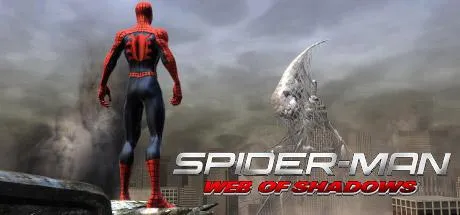
July 4Jul 4 Spider-Man: Web of Shadows Game DetailsRelease Name: Spider-Man: Web of ShadowsGame Version: v1.1Release Date: 21 Oct, 2008Publisher: ActivisionDeveloper: Shaba GamesBased On: VialitySpider-Man: Web of Shadows Direct Download - Game OverviewSpider-Man: Web of Shadows is an action-adventure game that throws players into a dark and chaotic version of New York City overrun by a deadly symbiote invasion. Step into the role of Spider-Man and seamlessly switch between the iconic Red Suit and the powerful Black Suit, each offering unique abilities, combat styles, and devastating combos.Experience fast-paced aerial combat, fluid web-swinging, and epic boss battles while teaming up with legendary Marvel heroes and villains. Your decisions throughout the story shape Spider-Man's destiny, leading to multiple endings and changing the fate of the city.Featuring an open-world environment, dynamic combat mechanics, and a darker original storyline, Spider-Man: Web of Shadows delivers one of the most unique and action-packed Spider-Man experiences ever created.Spider-Man: Web of Shadows Screenshots Spider-Man: Web of Shadows TrailerSpider-Man: Web of Shadows System RequirementsMinimum RequirementsRecommended RequirementsOSWindows XP / Windows VistaWindows VistaProcessorIntel Core 2 Duo 2.13 GHz or AMD Athlon X2 4600+Intel Core 2 Duo 2.2 GHz or AMD Athlon 64 X2 4600+Memory1 GB RAM (Windows XP) / 2 GB RAM (Windows Vista)2 GB RAMGraphicsNVIDIA GeForce 7900 GTX 512 MB or ATI Radeon X1900 XT 512 MBNVIDIA GeForce 7900 / ATI Radeon X1950 (512 MB VRAM)DirectXVersion 9.0cVersion 9.0cStorage8 GB available space8 GB available spaceHow to Install Spider-Man: Web of ShadowsNo Installation Needed: The game is pre-installed. Just download and extract.Extract: Right-click the .zip or .rar file and select "Extract Here" or "Extract to folder".Run: Find \image\pc\Spider-Man Launcher.exe inside the folder and run it.🔥DOWNLOAD AREA🔥🔹7.01 GB🔹Select the server you want to download with ZeiLink.Download





Create an account or sign in to comment