



Skip to content
View in the app

A better way to browse. Learn more.

ZeiGames

A full-screen app on your home screen with push notifications, badges and more.

To install this app on iOS and iPadOS
  1. Tap the Share icon in Safari
  2. Scroll the menu and tap Add to Home Screen.
  3. Tap Add in the top-right corner.
To install this app on Android
  1. Tap the 3-dot menu (โ‹ฎ) in the top-right corner of the browser.
  2. Tap Add to Home screen or Install app.
  3. Confirm by tapping Install.

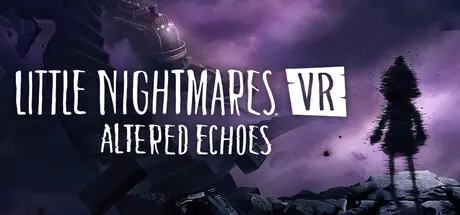
Little Nightmares VR: Altered Echoes Free Download (Build 22695609)
Featured Replies

header.webp

Game Details

Release Name:ย Little Nightmares VR: Altered Echoes

Game Version:ย Build 22695609

Release Date: 23 Apr, 2026

Publisher: Bandai Namco Entertainment

Developer: Iconik

Based On:ย CSF & Goldberg

Little Nightmares VR: Altered Echoes Direct Download - Game Review

For the first time, experience the disturbing universe of Little Nightmares in first person, through your own eyes, in VR. Every sight, sound and shadow becomes part of your reality, drawing you deeper into a twisted world where nightmare and truth blur. Each interaction with your surroundings reveals intricate puzzles, hidden paths, and secrets buried in darkness.

Enter a twisted world where your fragility as a child collides with the grotesque scale of your surroundings. Every corridor, every room, and every object feels slightly wrong, drawing you further into a reality that resists logic and comfort. Danger is constantly lurking in the darkness. You're surrounded by an unease that never loosens its grip and every step forward feels perilous.

Beyond the fear lies mystery. Your journey is not only about survival but about rediscovery, a search to reunite with the part of yourself that has been lost. Strange new locations and terrifying foes await, yet fragments of familiarity emerge, hinting at deeper truths. As you uncover clues tied to Sixโ€™s story and the enigmatic Transmission, questions of identity and belonging rise to the surface.

Why are you here? What is your purpose in this distorted world?

Each puzzle solved and each secret revealed brings you closer to confronting the essence of your existence and piecing together what was broken.


Game Screenshots

screenshot screenshot screenshot screenshot


Game Trailer


System Requirements

Minimum Requirements

Recommended Requirements

OS

Windows 10

Windows 11

Processor

Intel Core i5-8400 or AMD Ryzen 5 2600X

Intel Core i7-10700K or AMD Ryzen 5 3600

Memory

12 GB RAM

16 GB RAM

Graphics

NVIDIA GeForce GTX 1060, 6 GB or AMD Radeon RX 5700 XT, 8 GB

NVIDIA GeForce 2060 SUPER, 8 GB or AMD Radeon RX 6600 XT, 8 GB

DirectX

Version 12

Version 12

Storage

16 GB available space

16 GB available space


Installation Guide

  1. No Installation Needed: The game is pre-installed. Just download and extract.

  2. Extract: Right-click the .zip or .rar file and select "Extract Here" or "Extract to folder".

  3. Run: Find Launcher.exe inside the folder and run it.

Game Data & Settings

  • Change Language: Edit the file located at steam_settings/Configs.user.ini

  • Save Data Location: %USERPROFILE%/AppData/LocalLow/Iconik/Little Nightmares VR

Important Notes

๐Ÿ”ฅDOWNLOAD AREA๐Ÿ”ฅ

๐Ÿ”น8.46 GB๐Ÿ”น

Select the server you want to download with ZeiLink.

Download

  • Views 418
  • Created
  • Last Reply

Posted Images

Create an account or sign in to comment

Recently Browsing 0

  • No registered users viewing this page.

Account

Navigation

Search

Search

๐Ÿ”Ž Search Tip
For exact results, search using "game name" .
Without quotes, results may include unrelated titles.

Configure browser push notifications

Chrome (Android)
  1. Tap the lock icon next to the address bar.
  2. Tap Permissions โ†’ Notifications.
  3. Adjust your preference.
Chrome (Desktop)
  1. Click the padlock icon in the address bar.
  2. Select Site settings.
  3. Find Notifications and adjust your preference.
