



Skip to content
View in the app

A better way to browse. Learn more.

ZeiGames

A full-screen app on your home screen with push notifications, badges and more.

To install this app on iOS and iPadOS
  1. Tap the Share icon in Safari
  2. Scroll the menu and tap Add to Home Screen.
  3. Tap Add in the top-right corner.
To install this app on Android
  1. Tap the 3-dot menu (⋮) in the top-right corner of the browser.
  2. Tap Add to Home screen or Install app.
  3. Confirm by tapping Install.

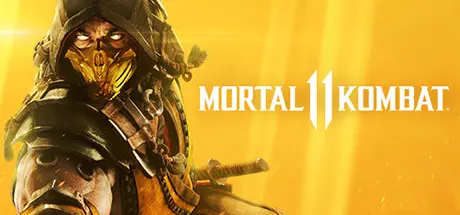
Mortal Kombat 11 Free Download (Build 22112346 + ALL DLC)
Featured Replies

header.webp

Game Details

Release Name: Mortal Kombat 11

Game Version: Build 22112346

Release Date: 23 Apr, 2019

Publisher: Warner Bros. Games, Warner Bros. Interactive Entertainment

Developer: NetherRealm Studios, QLOC, Shiver

Based On: CSF & Goldberg

Mortal Kombat 11 Direct Download - Game Review

MK is back and better than ever in the next evolution of the iconic franchise.

The all new Custom Character Variations give you unprecedented control of your fighters to make them your own. The new graphics engine showcases every skull-shattering, eye-popping moment, bringing you so close to the fight you can feel it. Featuring a roster of new and returning Klassic Fighters, Mortal Kombat's best-in-class cinematic story mode continues the epic saga over 25 years in the making.


Game Screenshots

screenshot screenshot screenshot screenshot


Game Trailer


System Requirements

Minimum Requirements

Recommended Requirements

OS

64-bit Windows 7 / Windows 10

64-bit Windows 7 / Windows 10

Processor

Intel Core i5-750, 2.66 GHz / AMD Phenom II X4 965, 3.4 GHz or AMD Ryzen 3 1200, 3.1 GHz

Intel Core i5-2300, 2.8 GHz / AMD FX-6300, 3.5GHz or AMD Ryzen 5 1400, 3.2 GHz

Memory

8 GB RAM

8 GB RAM

Graphics

NVIDIA® GeForce GTX 670 or NVIDIA® GeForce GTX 1050 / AMD® Radeon HD 7950 or AMD® Radeon R9 270

NVIDIA® GeForce GTX 780 or NVIDIA® GeForce GTX 1060-6GB / AMD® Radeon R9 290 or RX 570

DirectX

Version 11

Version 11

Storage

-

-


Installation Guide

  1. No Installation Needed: The game is pre-installed. Just download and extract.

  2. Extract: Right-click the .zip or .rar file and select "Extract Here" or "Extract to folder".

  3. Run: Find Binaries\Retail\Launcher.exe inside the folder and run it.

Game Data & Settings

  • Change Language: Edit the file located at steam_settings/Configs.user.ini

  • Save Data Location: Binaries\Retail\zeigames

Important Notes

DLC List

Added DLCs

Klassic MK Movie Skin Pack (Mortal Kombat 11 Klassic MK Movie Skin Pack)

Ultimate Add-On Bundle (Mortal Kombat 11 Ultimate Add-On Bundle)

4K Cinematic Pack (Mortal Kombat 11 4K Cinematic Pack)

Time Warriors Skin Pack

Rambo (Mortal Kombat 11 Rambo)

Mileena (Mortal Kombat 11 Mileena)

Rain (Mortal Kombat 11 Rain)

Kombat Pack 2 (Mortal Kombat 11 Kombat Pack 2)

All Hallows' Eve Skin Pack

Klassic Femme Fatale Skin Pack

Summer Heat Skin Pack

Thanks A Million Johnny Cage

Eternal Klash Skin Pack

Aftermath Story

Robocop (Mortal Kombat 11 Robocop)

Sheeva (Mortal Kombat 11 Sheeva)

Fujin (Mortal Kombat 11 Fujin)

Mortal Kombat 11: Aftermath Expansion

Mortal Kombat 11: Aftermath + Kombat Pack Bundle

Matinee Skin Pack (Mortal Kombat 11 Matinee Skin Pack)

Hellspawn Jacqui

Spawn (Mortal Kombat 11 Spawn)

DC Elseworlds Skin Pack (Mortal Kombat 11 DC Elseworlds Skin Pack)

Time Lord of Apokolips Geras

The Joker (Mortal Kombat 11 The Joker)

Klassic Cassie

Gothic Horror Skin Pack (Mortal Kombat 11 Gothic Horror Skin Pack)

Sindel (Mortal Kombat 11 Sindel)

Masquerade Skin Pack (Mortal Kombat 11 Masquerade Skin Pack)

Cassie Quinn

Double Feature Skin Pack (Mortal Kombat 11 Double Feature Skin Pack)

Terminator T-800 (Mortal Kombat 11 Terminator T-800)

War Games Sonya Blade

Klassic Arcade Fighter Pack (Mortal Kombat 11 Klassic Arcade Fighter Pack)

Nightwolf (Mortal Kombat 11 Nightwolf)

Shang Tsung Movie Skins

Klassic Ninja Skins (Mortal Kombat 11 Klassic Arcade Ninja Skin Pack 1)

Shang Tsung (Mortal Kombat 11 Shang Tsung)

Ninja Mime Johnny Cage (Mortal Kombat 11 Ninja Mime Johnny Cage)

Gold Demon Scorpion (Mortal Kombat 11 Gold Demon Scorpion)

Cangaceiro Kano (Mortal Kombat 11 Cangaceiro Kano)

Kold War Skarlet (Mortal Kombat 11 Kold War Skarlet)

Kombat Pack 1

Frost (Mortal Kombat 11 Frost)

Shao Kahn (Mortal Kombat 11 Shao Kahn)

🔥DOWNLOAD AREA🔥

🔹113.43 GB🔹

Select the server you want to download with ZeiLink.

Note: Online features and dlcs not work.

Download

  • Replies 6
  • Views 1.2k
  • Created
  • Last Reply

Top Posters In This Topic

Most Popular Posts

  • Paprika6412
    Paprika6412

    finally🔥 tysm bro

  • Placeholder
    Placeholder

    Thank you DicDale. Much love, kisses and hugs 💖

Posted Images

Hey I'm confused. I see the Note saying that Online features and DLCs wouldn't work, but I see that the DLC list is here on the page. Despite it not working, are the DLCs still included in the crack? Would be better to remove them since they just take up space, no?

  • Author
27 minutes ago, Placeholder said:

Hey I'm confused. I see the Note saying that Online features and DLCs wouldn't work, but I see that the DLC list is here on the page. Despite it not working, are the DLCs still included in the crack? Would be better to remove them since they just take up space, no?

The DLCs do not have separate files, they are included in the main game.

On 5/5/2026 at 4:23 PM, DicDale said:

The DLCs do not have separate files, they are included in the main game.

Oh so that means bloat then. Well that explains why the game is so damn big 😭. Who tf thought it was a good idea to embed the DLCs in the main game?

Create an account or sign in to comment

Recently Browsing 0

  • No registered users viewing this page.

Account

Navigation

Search

Search

🔎 Search Tip
For exact results, search using "game name" .
Without quotes, results may include unrelated titles.

Configure browser push notifications

Chrome (Android)
  1. Tap the lock icon next to the address bar.
  2. Tap Permissions → Notifications.
  3. Adjust your preference.
Chrome (Desktop)
  1. Click the padlock icon in the address bar.
  2. Select Site settings.
  3. Find Notifications and adjust your preference.
