



Skip to content
View in the app

A better way to browse. Learn more.

ZeiGames

A full-screen app on your home screen with push notifications, badges and more.

To install this app on iOS and iPadOS
  1. Tap the Share icon in Safari
  2. Scroll the menu and tap Add to Home Screen.
  3. Tap Add in the top-right corner.
To install this app on Android
  1. Tap the 3-dot menu (โ‹ฎ) in the top-right corner of the browser.
  2. Tap Add to Home screen or Install app.
  3. Confirm by tapping Install.

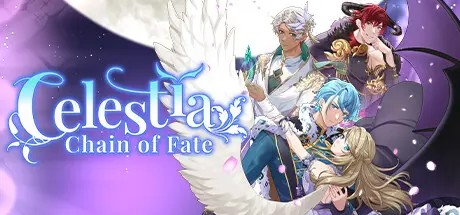
Celestia: Chain of Fate Free Download (Build 16809721)
Featured Replies

header.webp

Game Details

Release Name:ย Celestia: Chain of Fate

Game Version:ย Build 16809721

Release Date: 12 Sep, 2024

Publisher: PQube

Developer: Agate

Based On:ย CSF & Goldberg

Celestia: Chain of Fate Direct Download - Game Review

Celestia: Chain of Fate is a romance-fantasy visual novel that delivers a captivating player driven narrative.

The perfect life youโ€™ve known as a daughter of a Duke is about to change forever. With the revelation of your new hybrid identity, as a descendant of Angelus and Daemon, you must learn to live in a new world.

Compelled to accept an invitation to the Academy of Celestia to explore the world of magic, you must set out on a fresh journey in a world filled with demons and angels.

Uncover the secrets of your family history and learn to control the magical abilities you hold. Along the way, you'll have the chance to develop relationships with one of three romanceable characters, each with their own unique traits and personalities.

Itโ€™s down to you to hold your friendships and advance your love interests while also prioritising your education. Remember not to neglect your studies as you'll need to overcome a series of challenges to graduate!


Game Screenshots

screenshot screenshot screenshot screenshot


Game Trailer


System Requirements

Minimum Requirements

Recommended Requirements

OS

Windows 10 (64 bit)

-

Processor

Intel i5-2500 3.3GHz

-

Memory

8 GB RAM

-

Graphics

NVidia GTS450 / AMD Radeon 6850HD

-

DirectX

Version 11

-

Storage

3 GB available space

-


Installation Guide

  1. No Installation Needed: The game is pre-installed. Just download and extract.

  2. Extract: Right-click the .zip or .rar file and select "Extract Here" or "Extract to folder".

  3. Run: Find Celestia - Chain of Fate.exe inside the folder and run it.

Game Data & Settings

  • Change Language: Edit the file located at steam_settings/Configs.user.ini

Important Notes

๐Ÿ”ฅDOWNLOAD AREA๐Ÿ”ฅ

๐Ÿ”น1 GB๐Ÿ”น

Select the server you want to download with ZeiLink.

Download

  • Views 513
  • Created
  • Last Reply

Posted Images

Create an account or sign in to comment

Recently Browsing 0

  • No registered users viewing this page.

Account

Navigation

Search

Search

๐Ÿ”Ž Search Tip
For exact results, search using "game name" .
Without quotes, results may include unrelated titles.

Configure browser push notifications

Chrome (Android)
  1. Tap the lock icon next to the address bar.
  2. Tap Permissions โ†’ Notifications.
  3. Adjust your preference.
Chrome (Desktop)
  1. Click the padlock icon in the address bar.
  2. Select Site settings.
  3. Find Notifications and adjust your preference.
