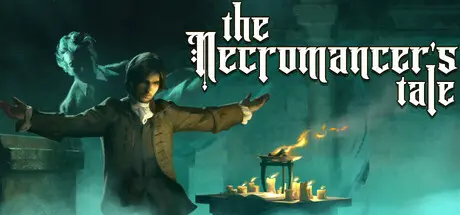
May 2May 2 The Necromancer's Tale Game DetailsRelease Name: The Necromancer's TaleGame Version: v1.233 | Build 22440007Release Date: 17 Jul, 2025Publisher: Psychic SoftwareDeveloper: Psychic SoftwareBased On: CSF & GoldbergThe Necromancer's Tale Direct Download - Game OverviewThe Necromancer's Tale is a narrative-driven top-down RPG where you play the role of a minor noble in the 18th Century, drawn into the Dark Necromantic Arts as you seek knowledge and revenge. Great power awaits... along with the weird, the morbid, and a gradual descent into madness.Before you lies a great spellbook, filled with powerful rites of death and reanimation. Can you decipher the pages and master its arcane rituals without losing your mind or being strung up by the townsfolk? Your progress will require great determination, cunning and secrecy.The Necromancer's Tale is a story-rich game, with 400,000 words of hand-written narrative and lore, in which you converse with 180+ NPC characters, each with their own hand-drawn portrait art (we have not used any generative AI in the game). You will investigate, negotiate, coerce and flatter in order to progress your aims. The game's Trust system means that your choices - even in conversation - really matter. If the townsfolk's trust drops too low, you will find your choices are affected - if it drops further still, you will surely be tried in court and hanged, or lynched by a frenzied mob.Your character is created in an interactive and fully voiced backstory, defining your gender, early life, skills and career (military, diplomatic, or academic). Narrative options during the main game are affected by these choices.The Necromancer's Tale Screenshots The Necromancer's Tale TrailerThe Necromancer's Tale System Requirements Minimum RequirementsRecommended Requirements OS8/10/118/10/11 ProcessorIntel i5-7500 or AMD 1500 equivalentIntel Core i7 or AMD 1800 equivalent Memory8 GB RAM16 GB RAM GraphicsIntegrated Intel HD620 or equivalentNVIDIA Geforce 1060 or equivalent, 6GB+ VRAM DirectXVersion 11Version 11 Storage5 GB available space5 GB available space How to Install The Necromancer's TaleNo Installation Needed: The game is pre-installed. Just download and extract.Extract: Right-click the .zip or .rar file and select "Extract Here" or "Extract to folder".Run: Find TheNecromancer.exe inside the folder and run it.Game Data & SettingsChange Language: Edit the file located at steam_settings/Configs.user.iniImportant NotesTo support the Game Developer, Get It On Steam.🔥DOWNLOAD AREA🔥🔹2.38 GB🔹Select the server you want to download with ZeiLink.Download
May 2May 2 ZeiGames just never misses, another fantastic upload, I could cry! Thank you to the team as always for bringing games to us we could before only have dreamed of!





Create an account or sign in to comment