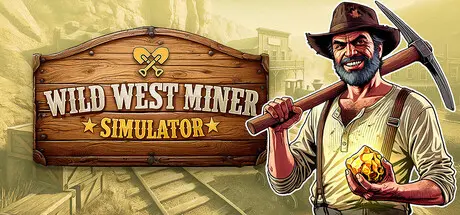
22 hours ago22 hr Wild West Miner Simulator Game DetailsRelease Name: Wild West Miner SimulatorGame Version: v1.2 | Build 24776073Release Date: 13 Aug, 2026Publisher: PlayWay S.A., Digital MelodyDeveloper: Digital MelodyBased On: CSF & GoldbergWild West Miner Simulator Direct Download - Game OverviewYou’ve arrived where the maps end and the wild, untamed frontier begins. Your mission is to build a thriving town from the ground up — a place that will attract settlers, traders, and fortune‑seekers. This land may look worthless… but give it time. Beneath the surface lie riches that could change your life forever.Explore deeper layers of the earth and gather the resources that will become the foundation of your growing empire:coal, iron, copper, gold, and diamondscrude oil hidden in deep underground depositsmetal smelting furnaces and oil extraction machinesEvery resource brings you closer to a bigger town and greater opportunities.You start with a few planks and a tent, but soon you’ll be able to:construct houses and attract new residentsexpand your infrastructuredecorate and customize your own living space however you likeYour settlement can become a true oasis in the middle of the wasteland.Progress requires investment. Buy better tools and explosives from traveling merchants. Improve your logistics:crates and wheelbarrows for transporting materialshorses and wagons for hauling large loadsHire workers so your town keeps growing even when you’re busy elsewhere.The Wild West isn’t just gold and oil — it’s danger too:attacks from wild animalsbandits roaming the areapistols and shotguns available for purchase to defend yourself and your townsfolkYour settlement must be safe if it’s going to survive.After a long day of hard work, you can:visit the saloonplay dartsshoot to the bottleEven a sheriff needs a break.Will you manage to transform this forgotten “Nowhere” into a thriving metropolis and rise from a small‑town sheriff to a wealthy governor?Wild West Miner Simulator Screenshots Wild West Miner Simulator TrailerWild West Miner Simulator System RequirementsMinimum RequirementsRecommended RequirementsOSWindows (64-bit) 10Windows (64-bit) 11ProcessorIntel Core i3-3220 / i3-13100T, AMD A10 6800K / Athlon X4 950Intel Core i3-14100, AMD Ryzen 5 5500Memory4 GB RAM8 GB RAMGraphicsNVidia GeForce GTX 660 2GB / GTX 1050 2GB, AMD Radeon R7 265 2GB / RX 460 2GBNVidia RTX 3050 6GB / AMD Radeon RX 6400 4GBDirectXVersion 11Version 11Storage12 GB available space15 GB available spaceHow to Install Wild West Miner SimulatorNo Installation Needed: The game is pre-installed. Just download and extract.Extract: Right-click the .zip or .rar file and select "Extract Here" or "Extract to folder".Run: Find Wild West Miner Simulator.exe inside the folder and run it.Game Data & SettingsChange Language: Edit the file located at steam_settings/Configs.user.iniSave Data Location: %USERPROFILE%/AppData/LocalLow/Digital Melody Games/Wild West Miner Simulator/SaveImportant NotesTo support the Game Developer, Get It On Steam.🔥DOWNLOAD AREA🔥🔹3.71 GB🔹Select the server you want to download with ZeiLink.Download





Create an account or sign in to comment