



Skip to content
View in the app

A better way to browse. Learn more.

ZeiGames

A full-screen app on your home screen with push notifications, badges and more.

To install this app on iOS and iPadOS
  1. Tap the Share icon in Safari
  2. Scroll the menu and tap Add to Home Screen.
  3. Tap Add in the top-right corner.
To install this app on Android
  1. Tap the 3-dot menu (โ‹ฎ) in the top-right corner of the browser.
  2. Tap Add to Home screen or Install app.
  3. Confirm by tapping Install.

Siege of Treboulain Free Download (Build 21392820)
Featured Replies

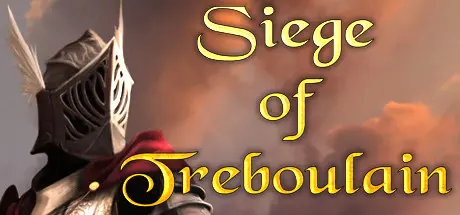
header.webp

Game Details

Release Name:ย Siege of Treboulain

Game Version:ย Build 21392820

Release Date: 14 Apr, 2022

Publisher: Choice of Games

Developer: Choice of Games

Based On:ย CSF & Goldberg

Siege of Treboulain Direct Download - Game Review

The Siege of Treboulain is a 260,000-word interactive novel by Jed Herne. Itโ€™s entirely text-based, without graphics or sound effects, and fueled by the vast, unstoppable power of your imagination.

Youโ€™re the young ruler of a magical city, trying to lead your people to greatness. When a ruthless army besieges Treboulain, you must martial your troops, rally your people, and defend your city!

Will you take to the walls yourself, using your magic and skill with a sword to inspire your soldiers? Or will you command the defense from a distance, using your sharp tactical mind? Should you fill the moat with traps, train elite magicians, or recruit mercenaries for a surprise attack? With rival politicians attempting to usurp you, what will you sacrifice to maintain order?

Manage your populationโ€™s morale โ€“ and your dwindling resources โ€“ with wise leadership. Expose deadly conspiracies, find love and friendship amidst the turmoil, and prove your worthiness to rule.

Can you save your city against overwhelming odds โ€“ and forge a mighty legend?

  • Play as male, female, or non-binary; gay, straight, bi, or asexual.

  • Explore a magical city filled with rich history, fascinating lore, and arcane secrets.

  • Find love or friendship with a brave warrior, a wise priestess, a cunning merchant, or a talented artist.

  • Become a powerful arborturgist and master the magic of the plants.

  • Command soldiers, plan tactics, and fight in everything from one-on-one duels to massive, history-shaking battles.

  • Defeat enemies with swordplay, enchantment, spectacular speeches, or trickery.

  • Manage the cityโ€™s internal politics and balance the demands of the army, priests, merchants, and commoners.

  • Choose from three unique backstories โ€“ magician, warrior, or scholar โ€“ and learn about your enemy through flashbacks.

  • Win the respect of your peopleโ€ฆor become a tyrant who demands their obedience!

  • Leave a legacy that will affect your city โ€“ and the world โ€“ forever.


Game Screenshots

screenshot screenshot screenshot screenshot


Game Trailer


System Requirements

Minimum Requirements

Recommended Requirements

OS

Windows 7

-

Processor

-

-

Memory

-

-

Graphics

-

-

DirectX

-

-

Storage

-

-


Installation Guide

  1. No Installation Needed: The game is pre-installed. Just download and extract.

  2. Extract: Right-click the .zip or .rar file and select "Extract Here" or "Extract to folder".

  3. Run: Find SiegeOfTreboulain.exe inside the folder and run it.

Game Data & Settings

  • Change Language: Edit the file located at steam_settings/Configs.user.ini

Important Notes

๐Ÿ”ฅDOWNLOAD AREA๐Ÿ”ฅ

๐Ÿ”น103 MB๐Ÿ”น

Select the server you want to download with ZeiLink.

Download

  • Views 515
  • Created
  • Last Reply

Posted Images

Create an account or sign in to comment

Recently Browsing 0

  • No registered users viewing this page.

Account

Navigation

Search

Search

๐Ÿ”Ž Search Tip
For exact results, search using "game name" .
Without quotes, results may include unrelated titles.

Configure browser push notifications

Chrome (Android)
  1. Tap the lock icon next to the address bar.
  2. Tap Permissions โ†’ Notifications.
  3. Adjust your preference.
Chrome (Desktop)
  1. Click the padlock icon in the address bar.
  2. Select Site settings.
  3. Find Notifications and adjust your preference.
