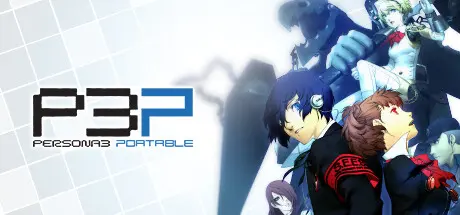
March 30Mar 30 Persona 3 Portable Game DetailsRelease Name: Persona 3 PortableGame Version: v1.01 | Build 10835579Release Date: 18 Jan, 2023Publisher: SEGADeveloper: ATLUSBased On: CSF & GoldbergPersona 3 Portable Direct Download - Game OverviewExperience the iconic, critically acclaimed RPG that reinvented the Persona series, Persona 3 Portable, now newly remastered for modern platforms.Shortly after transferring to Gekkoukan High School, the protagonist encounters the "Dark Hour." Unfamiliar stillness swallows the city, people turn into eerie coffins, and otherworldly monsters called Shadows swarm. When they are attacked by one of these Shadows, and all hope seems lost, the power of the heart, their Persona is awakened. With this newfound power, they pursue the truth of the Dark Hour and face the destiny that awaits them.Enjoy Persona 3 Portable now with newly remastered graphics, improved smoothness in gameplay, and quality of life features, including difficulty selection and quick save functionalityClimb the looming tower of Tartarus, take down powerful Shadows, and investigate the mysteries of the Dark HourLive through a full school year packed with daily events as you forge precious bonds with unforgettable charactersExperience this dark, emotional journey through two distinct protagonists’ perspectives for twice the social possibilities Choose between Japanese and English VOPersona 3 Portable Screenshots Persona 3 Portable TrailerPersona 3 Portable System Requirements Minimum RequirementsRecommended Requirements OSWindows 10 or higherWindows 10 or higher ProcessorIntel Core i3-540 or AMD Phenom II X4 940Intel Core i5-650 or AMD FX-4100 Memory4 GB RAM4 GB RAM GraphicsNVIDIA GeForce GT 730, 1 GB or AMD Radeon R7 240, 1 GBNVIDIA GeForce GTX 650, 1 GB or AMD Radeon HD 5770, 1 GB DirectXVersion 11Version 11 Storage10 GB available space10 GB available space How to Install Persona 3 PortableCopy the contents of the DenuvOwO folder to the game folder.Hypervisor releases require specific system features to be disabled.To prepare your system, run VBS.cmd and follow its instructions.Launch the game from its executable after proceeding with VBS.cmd.Once you are done playing, it is recommended to revert the changes.Game Data & SettingsChange Language: Edit the file located at steam_settings/Configs.user.iniImportant NotesTo support the Game Developer, Get It On Steam.🔥DOWNLOAD AREA🔥🔹6.48 GB🔹Select the server you want to download with ZeiLink.Download
August 10Aug 10 Hey, can i have ur dc?apparently it says Denuevo tried to delete found token, closing.... is hypervisor running?





Create an account or sign in to comment