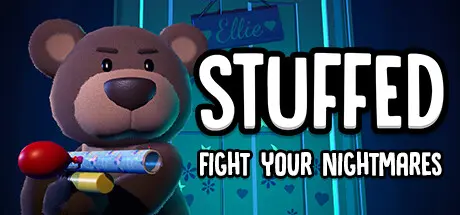
April 26Apr 26 STUFFED Game DetailsRelease Name: STUFFEDGame Version: v1.0.4 | Build 15712827Release Date: 16 Jun, 2024Publisher: Amplified GamesDeveloper: Waving Bear StudioBased On: CSF & GoldbergSTUFFED Direct Download - Game OverviewSTUFFED is a procedurally generated, horde first-person shooter, that takes place in the dreams of a little girl. Play as a teddy bear and fight waves of nightmares as you defend your owner. Play solo or join your friends in up to 4 player online co-op.Defend your owner's bedroom door and defeat a variety of nightmares in endless waves. Earn points from defeating nightmares and use them to unlock new map areas and weapons.From a popcorn grenade to a jelly bean shotgun, find and use unique weapons made from household objects.Earn XP in to unlock special player abilities each game session.Use points to unlock new outfits and furs for your teddy bear. Mix and match outfits and furs to fully personalise them.STUFFED Screenshots STUFFED TrailerSTUFFED System Requirements Minimum RequirementsRecommended Requirements OSWindows 10 64bit- ProcessorIntel Core i5 or AMD equivalent- Memory8 GB RAM- GraphicsNVIDIA GeForce GTX 1050- DirectX-- Storage2 GB available space- How to Install STUFFEDNo Installation Needed: The game is pre-installed. Just download and extract.Extract: Right-click the .zip or .rar file and select "Extract Here" or "Extract to folder".Run: Find STUFFED.exe inside the folder and run it.Multiplayer & Online (Optional)Play Online: Download the Online Fix file and apply it to the game folder.Game Data & SettingsChange Language: Edit the file located at steam_settings/Configs.user.iniImportant NotesTo support the Game Developer, Get It On Steam.🔥DOWNLOAD AREA🔥🔹1.45 GB🔹Select the server you want to download with ZeiLink.DownloadOnline Fix - (RAR pass: zeigames.com)





Create an account or sign in to comment