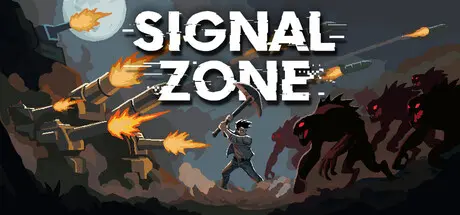
April 25Apr 25 Signal Zone Game DetailsRelease Name: Signal ZoneGame Version: v1.0.4 | Build 22943456Release Date: 7 Apr, 2026Publisher: Norafox StudioDeveloper: Norafox StudioBased On: CSF & GoldbergSignal Zone Direct Download - Game OverviewBalance your time between exploration, construction, and defense as you manage scarce resources and adapt your strategy to unpredictable enemy waves. Each day is a short window to explore the map, mine valuable resources, and expand your defenses. Collect what you can before the sun sets, every resource matters when the night comes.When darkness falls, waves of hostile creatures strike from all sides. Your turrets hold the line as your walls take damage, repair and reinforce before the next wave arrives.Core FeaturesFast-paced day/night cycle with no downtimeProcedurally generated maps for endless replayabilityBuild and upgrade freely, no predefined tower slotsCampaign with unique goals and enemy wavesMultiple difficulty options: Easy, Normal, HardEndless ModeCustom game settingsChallenging gameplaySignal Zone Screenshots Signal Zone TrailerSignal Zone System Requirements Minimum RequirementsRecommended Requirements OSWindows 10 64-bit- ProcessorIntel Core i3-4130 or equivalent- Memory4 GB RAM- GraphicsIntel UHD 630 or equivalent- DirectX-- Storage500 MB available space- How to Install Signal ZoneNo Installation Needed: The game is pre-installed. Just download and extract.Extract: Right-click the .zip or .rar file and select "Extract Here" or "Extract to folder".Run: Find Launcher.exe inside the folder and run it.Game Data & SettingsChange Language: Edit the file located at steam_settings/Configs.user.iniImportant NotesTo support the Game Developer, Get It On Steam.🔥DOWNLOAD AREA🔥🔹137 MB🔹Select the server you want to download with ZeiLink.Download





Create an account or sign in to comment