



Skip to content
View in the app

A better way to browse. Learn more.

ZeiGames

A full-screen app on your home screen with push notifications, badges and more.

To install this app on iOS and iPadOS
  1. Tap the Share icon in Safari
  2. Scroll the menu and tap Add to Home Screen.
  3. Tap Add in the top-right corner.
To install this app on Android
  1. Tap the 3-dot menu (โ‹ฎ) in the top-right corner of the browser.
  2. Tap Add to Home screen or Install app.
  3. Confirm by tapping Install.

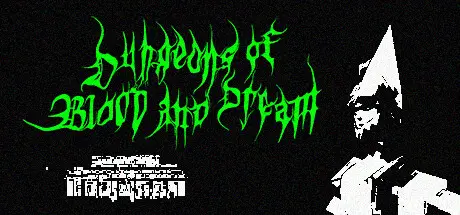
Dungeons of Blood and Dream Free Download (v1.0.2)
Featured Replies

header.webp

Game Details

Release Name:ย Dungeons of Blood and Dream

Game Version:ย v1.0.2 | Build 16457146

Release Date: 11 Nov, 2024

Publisher: Lori Vornoy

Developer: Lori Vornoy

Based On:ย CSF & Goldberg

Dungeons of Blood and Dream Direct Download - Game Review

Dungeons of Blood and Dream is a randomly generated dungeon crawler with roguelike elements in which the player will wield an array of bladed weapons and harness wondrous spells to fight through hordes of skeletons, zombies, slimes and other disgusting creatures that dwell in the dungeons. No two playthroughs are the same!

Features:

  • Procedurally generated dungeons filled with enemies, treasures, traps and secrets;

  • Many cursed rings with unique powers. Their effects change depending on what finger the ring is on;

  • Great many unique weapons, each with different effects;

  • Several NPCs to talk to;

  • Meta progression unlocks that remain inbetween playthroughs;

  • Randomly generated potions with effects varying from one playthrough to another;

  • Many enemies and bosses to discover;

  • Multiple endings;

  • Secret rooms, levels and areas with their own enemies and boss fights;

  • Lots of items, levels and features to unlock in game.


Game Screenshots

screenshot screenshot screenshot screenshot


Game Trailer


System Requirements

Minimum Requirements

Recommended Requirements

OS

Windows 10

-

Processor

Intel Core i7-7700 3.6GHz

-

Memory

4 GB RAM

-

Graphics

Nvidia Geforce GTX 1060

-

DirectX

-

-

Storage

2 GB available space

-


Installation Guide

  1. No Installation Needed: The game is pre-installed. Just download and extract.

  2. Extract: Right-click the .zip or .rar file and select "Extract Here" or "Extract to folder".

  3. Run: Find Launcher.exe inside the folder and run it.

Game Data & Settings

  • Change Language: Edit the file located at steam_settings/Configs.user.ini

  • Save Data Location: %USERPROFILE%/AppData/Roaming/Godot/app_userdata/Dungeons of Blood and Dream

Important Notes

๐Ÿ”ฅDOWNLOAD AREA๐Ÿ”ฅ

๐Ÿ”น1.32 GB๐Ÿ”น

Select the server you want to download with ZeiLink.

Download

  • Replies 1
  • Views 429
  • Created
  • Last Reply

Top Posters In This Topic

Most Popular Posts

  • ElAlto03
    ElAlto03

    Another RexaGame rare-gem delivered! I feel blessed haha, thank you very much for bringing another lesser-known but highly rated, fantastic game that does not exist anywhere else!

Posted Images

Another RexaGame rare-gem delivered! I feel blessed haha, thank you very much for bringing another lesser-known but highly rated, fantastic game that does not exist anywhere else!

Create an account or sign in to comment

Recently Browsing 0

  • No registered users viewing this page.

Account

Navigation

Search

Search

๐Ÿ”Ž Search Tip
For exact results, search using "game name" .
Without quotes, results may include unrelated titles.

Configure browser push notifications

Chrome (Android)
  1. Tap the lock icon next to the address bar.
  2. Tap Permissions โ†’ Notifications.
  3. Adjust your preference.
Chrome (Desktop)
  1. Click the padlock icon in the address bar.
  2. Select Site settings.
  3. Find Notifications and adjust your preference.
