



Skip to content
View in the app

A better way to browse. Learn more.

ZeiGames

A full-screen app on your home screen with push notifications, badges and more.

To install this app on iOS and iPadOS
  1. Tap the Share icon in Safari
  2. Scroll the menu and tap Add to Home Screen.
  3. Tap Add in the top-right corner.
To install this app on Android
  1. Tap the 3-dot menu (โ‹ฎ) in the top-right corner of the browser.
  2. Tap Add to Home screen or Install app.
  3. Confirm by tapping Install.

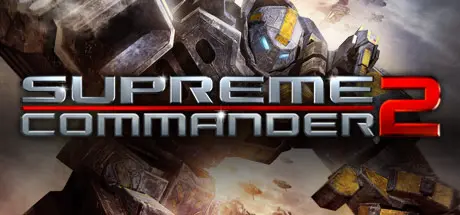
Supreme Commander 2 Free Download (Build 51776 + Infinite War Battle Pack One DLC)
Featured Replies

header.webp

Game Details

Release Name:ย Supreme Commander 2

Game Version:ย Build 51776

Release Date: 1 Mar, 2010

Publisher: Square Enix

Developer: Gas Powered Games

Based On:ย CSF

Supreme Commander 2 Direct Download - Game Review

Take the role of one of the three enigmatic commanders, each representing a unique faction with a rich story that brings a new level of emotional connection to the RTS genre, or fight the battle online. Where do your loyalties lie?

  • A deep and powerful story - element adds a personal, human aspect to a storyline previously focused on warring factions and the politics that fuel them. The single player campaign features three character-driven storylines set 25 years after the events of Supreme Commander: Forged Alliance

  • Command enormous armies made up of customizable land, air and naval units. Each of the three diverse factions โ€“ The United Earth Federation (UEF), the Cybran Nation and the Illuminate โ€“ have been completely redesigned from the original game, with many units.

  • Experimental units - returning with new designs and greatly enhanced looksโ€ฆ.and some new tricks that can be unlocked through research

  • New Supreme Commander Gameplay Experience - players now have the ability to research new technologies and units and deploy them instantly on the battlefield, allowing them to upgrade a base-level tank to a high-powered, multi-barreled, AA-sporting monster by the end of a given game.

  • Strategic Mode UI - the redesigned UI that is faster, takes up less screen real-estate and gives better player feedback

  • New rendering technology that allows us to create visually spectacular environments


Game Screenshots

screenshot screenshot screenshot screenshot


Game Trailer


System Requirements

Minimum Requirements

Recommended Requirements

OS

Windows XP/Vista/Windows 7

Windows XP/Vista/Windows 7

Processor

3.0 GHz or better, AMD or Intel CPU

2.6 GHz or better, Dual Core AMD or Intel CPU

Memory

1GB RAM (XP) 1.5GB RAM (Vista / Win 7)

2GB RAM (XP) 2GB RAM (Vista / Win 7)

Graphics

256 MB VRAM with Pixel Shader 3.0

256 MB VRAM DX9 compliant with Pixel Shader 3.0

DirectX

DirectX 9.0

DirectX 9.0

Storage

4-5 GB for full install & DirectX

4-5 GB for full install & DirectX


Installation Guide

  1. No Installation Needed: The game is pre-installed. Just download and extract.

  2. Extract: Right-click the .zip or .rar file and select "Extract Here" or "Extract to folder".

  3. Run: Find bin\SupremeCommander2.exe inside the folder and run it.

Game Data & Settings

  • Change Language: Move the files on LANGAUGES folder to main game folder.

Important Notes

DLC List

Added DLCs

Supreme Commander 2 - Infinite War Battle Pack One (Supreme Commander 2: Infinite War Battle Pack)

๐Ÿ”ฅDOWNLOAD AREA๐Ÿ”ฅ

๐Ÿ”น7.41 GB๐Ÿ”น

Select the server you want to download with ZeiLink.

ALL Languages Included.

Download

  • DicDale changed the title to Supreme Commander 2 Free Download (Build 51776 + Infinite War Battle Pack One DLC)

  • Views 560
  • Created
  • Last Reply

Posted Images

Create an account or sign in to comment

Recently Browsing 0

  • No registered users viewing this page.

Account

Navigation

Search

Search

๐Ÿ”Ž Search Tip
For exact results, search using "game name" .
Without quotes, results may include unrelated titles.

Configure browser push notifications

Chrome (Android)
  1. Tap the lock icon next to the address bar.
  2. Tap Permissions โ†’ Notifications.
  3. Adjust your preference.
Chrome (Desktop)
  1. Click the padlock icon in the address bar.
  2. Select Site settings.
  3. Find Notifications and adjust your preference.