



Skip to content
View in the app

A better way to browse. Learn more.

ZeiGames

A full-screen app on your home screen with push notifications, badges and more.

To install this app on iOS and iPadOS
  1. Tap the Share icon in Safari
  2. Scroll the menu and tap Add to Home Screen.
  3. Tap Add in the top-right corner.
To install this app on Android
  1. Tap the 3-dot menu (โ‹ฎ) in the top-right corner of the browser.
  2. Tap Add to Home screen or Install app.
  3. Confirm by tapping Install.

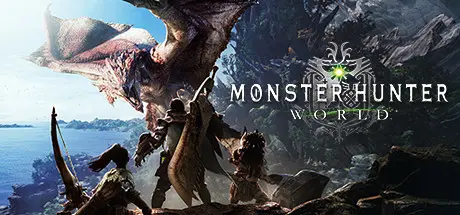
Monster Hunter: World Free Download (v15.23.00 + ALL DLC + Online)
Featured Replies

header.webp

Game Details

Release Name:ย Monster Hunter: World

Game Version:ย v15.23.00 | Build 15539686

Release Date: 8 Aug, 2018

Publisher: CAPCOM Co., Ltd.

Developer: CAPCOM Co., Ltd.

Based On:ย CSF & Goldberg

Monster Hunter: World Direct Download - Game Review

Welcome to a new world! Take on the role of a hunter and slay ferocious monsters in a living, breathing ecosystem where you can use the landscape and its diverse inhabitants to get the upper hand. Hunt alone or in co-op with up to three other players, and use materials collected from fallen foes to craft new gear and take on even bigger, badder beasts!

As a hunter, you'll take on quests to hunt monsters in a variety of habitats.
Take down these monsters and receive materials that you can use to create stronger weapons and armor in order to hunt even more dangerous monsters.

In Monster Hunter: World, the latest installment in the series, you can enjoy the ultimate hunting experience, using everything at your disposal to hunt monsters in a new world teeming with surprises and excitement.


Setting
Once every decade, elder dragons trek across the sea to travel to the land known as the New World in a migration referred to as the Elder Crossing.

To get to the bottom of this mysterious phenomenon, the Guild has formed the Research Commission, dispatching them in large fleets to the New World.

As the Commission sends its Fifth Fleet in pursuit of the colossal elder dragon, Zorah Magdaros, one hunter is about to embark on a journey grander than anything they could have ever imagined.


Game Screenshots

screenshot screenshot screenshot screenshot


Game Trailer


System Requirements

Minimum Requirements

Recommended Requirements

OS

WINDOWSยฎ 10 (64-bit required)

WINDOWSยฎ 10 (64-bit required)

Processor

Intelยฎ Coreโ„ข i5 4460 or Coreโ„ข i3 9100F or AMD FXโ„ข-6300 or Ryzenโ„ข 3 3200G

Intelยฎ Coreโ„ข i7 3770 or Coreโ„ข i3 8350 or Coreโ„ข i3 9350F / AMD Ryzenโ„ข 5 1500X or Ryzenโ„ข 5 3400G

Memory

8 GB RAM

8 GB RAM

Graphics

NVIDIAยฎGeForceยฎGTX 760 or GTX1050 or AMD Radeonโ„ข R7 260x or RX 560

NVIDIAยฎ GeForceยฎ GTX 1060 (VRAM 3GB) or GTX 1650 / AMD Radeonโ„ข RX 480 or RX 570

DirectX

Version 11

Version 11

Storage

52 GB available space

52 GB available space


Installation Guide

  1. No Installation Needed: The game is pre-installed. Just download and extract.

  2. Extract: Right-click the .zip or .rar file and select "Extract Here" or "Extract to folder".

  3. Run: Find Monster Hunter: World.exe inside the folder and run it.

Multiplayer & Online (Optional)

  • Play Online: Download the Online Fix file and apply it to the game folder.

Game Data & Settings

  • Change Language: Edit the file located at steam_settings/Configs.user.ini

Important Notes

๐Ÿ”ฅDOWNLOAD AREA๐Ÿ”ฅ

๐Ÿ”น51.21 GB + 47.15 GB๐Ÿ”น

Select the server you want to download with ZeiLink.

Download

Online Fix - (RAR pass: rexagames.com)

  • Replies 1
  • Views 1.7k
  • Created
  • Last Reply

Top Posters In This Topic

Posted Images

Create an account or sign in to comment

Recently Browsing 0

  • No registered users viewing this page.

Account

Navigation

Search

Search

๐Ÿ”Ž Search Tip
For exact results, search using "game name" .
Without quotes, results may include unrelated titles.

Configure browser push notifications

Chrome (Android)
  1. Tap the lock icon next to the address bar.
  2. Tap Permissions โ†’ Notifications.
  3. Adjust your preference.
Chrome (Desktop)
  1. Click the padlock icon in the address bar.
  2. Select Site settings.
  3. Find Notifications and adjust your preference.
