



Skip to content
View in the app

A better way to browse. Learn more.

ZeiGames

A full-screen app on your home screen with push notifications, badges and more.

To install this app on iOS and iPadOS
  1. Tap the Share icon in Safari
  2. Scroll the menu and tap Add to Home Screen.
  3. Tap Add in the top-right corner.
To install this app on Android
  1. Tap the 3-dot menu (โ‹ฎ) in the top-right corner of the browser.
  2. Tap Add to Home screen or Install app.
  3. Confirm by tapping Install.

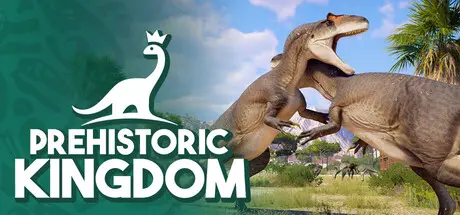
Prehistoric Kingdom Free Download (v1.17.101 + Digital Artbook, Vol. 1 DLC)
Featured Replies

header.webp

Game Details

Release Name:ย Prehistoric Kingdom

Game Version:ย v1.17.101 | Build 23911515

Release Date: 27 Apr, 2022

Publisher: Crytivo

Developer: Blue Meridian

Based On:ย CSF & Goldberg

Prehistoric Kingdom Direct Download - Game Review

Take on the role of park manager and design the ultimate zoo for nature's greatest creations.

Discover, incubate and release dozens of extinct species to build a successful park that can keep up with the growing demands of guests, staff and hungry animals.

From the majestic Woolly Mammoth to the mighty Spinosaurus, undo the rules of extinction by reviving a diverse selection of over 50 species of prehistoric wildlife.

Watch as they seamlessly grow from baby to adult; changing their proportions, sounds and behaviors in realtime. They'll need to eat, drink, sleep and satisfy their social needs through dynamic behaviors like herding and socialization.

Design stunning parks across an enormous playable area to draw in crowds from all over the world. Carve rivers, raise mountains or build facilities piece-by-piece with precise creative tools.ย 

Choose from a selection of themed prefabs or use the Steam Workshop to share or download ready-made structures like restaurants, toilets and viewing platforms.

Prepare your zoo with logistics management, strategically placing key infrastructure to optimize its efficiency.

Import or generate resources and deliver them throughout the zoo with trainable staff toย ensure your kiosks and feeders remain stocked. Don't forget to clean those dung piles!


Game Screenshots

screenshot screenshot screenshot screenshot


Game Trailer


System Requirements

Minimum Requirements

Recommended Requirements

OS

Windows 7/8/8.1/10 64bit

Windows 7/8/8.1/10 64bit

Processor

Intel i5-2300/AMD FX-4300

Intel i7-4770/AMD FX-8350

Memory

8 GB RAM

16 GB RAM

Graphics

nVidia GTX 1060 (4GB)/AMD R9 380 (4GB)

nVidia RTX 2060 (6GB)/AMD RX 5600 XT (6GB)

DirectX

Version 10

Version 11

Storage

10 GB available space

10 GB available space


Installation Guide

  1. No Installation Needed: The game is pre-installed. Just download and extract.

  2. Extract: Right-click the .zip or .rar file and select "Extract Here" or "Extract to folder".

  3. Run: Find Prehistoric Kingdom.exe inside the folder and run it.

Game Data & Settings

  • Change Language: Edit the file located at steam_settings/Configs.user.ini

  • Save Data Location: %USERPROFILE%/Saved Games/Prehistoric Kingdom\Saves

Important Notes

DLC List

Added DLCs

Prehistoric Kingdom: Digital Artbook, Vol. 1

๐Ÿ”ฅDOWNLOAD AREA๐Ÿ”ฅ

๐Ÿ”น10.65 GB๐Ÿ”น

Select the server you want to download with ZeiLink.

Download

  • 5 months later...
  • Replies 1
  • Views 3.8k
  • Created
  • Last Reply

Top Posters In This Topic

Posted Images

  • DicDale changed the title to Prehistoric Kingdom Free Download (v1.17.101 + Digital Artbook, Vol. 1 DLC)

Create an account or sign in to comment

Recently Browsing 0

  • No registered users viewing this page.

Account

Navigation

Search

Search

๐Ÿ”Ž Search Tip
For exact results, search using "game name" .
Without quotes, results may include unrelated titles.

Configure browser push notifications

Chrome (Android)
  1. Tap the lock icon next to the address bar.
  2. Tap Permissions โ†’ Notifications.
  3. Adjust your preference.
Chrome (Desktop)
  1. Click the padlock icon in the address bar.
  2. Select Site settings.
  3. Find Notifications and adjust your preference.