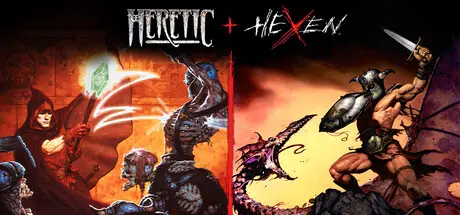
April 20Apr 20 Heretic + Hexen Game DetailsRelease Name: Heretic + HexenGame Version: Build 20589774Release Date: 7 Aug, 2025Publisher: Bethesda SoftworksDeveloper: id Software, Nightdive StudiosBased On: CSF & GoldbergHeretic + Hexen Direct Download - Game OverviewStep into the definitive re-release of two dark spell-casting shooters that shaped the genre.Forged by Raven Software on a modified DOOM engine, Heretic and Hexen were released in 1994 and 1995, pushing first person shooters into bold new territory. These innovative cult classics introduced groundbreaking features like inventory systems, vertical aiming, and distinct character classes, reshaping first person action games for generations to come. This enhanced restoration makes Heretic + Hexen available to new audiences and long-time fans with expanded accessibility across more platforms and languages than ever before. Whether you're returning to these shadowy realms or discovering them for the first time, an epic legacy awaits.New EnhancementsOnline cross-platform deathmatch and co-op for up to 16 players²Local split-screen deathmatch and co-op for up to 8 playersToggleable, enhanced Tome of Power soundtrack by Andrew HulshultCommunity-published mod support with an in-game mod browser² ³Improved performance with multithreaded rendering supporting up to 4K resolution and 120 FPS⁵A Vault section containing concept art and unused sprites from the development of the original gamesAccessibility options, such as updated UI, improved legibility, contrast and screen FX adjustments, and text-to-speech features.Modern controller supportWeapon carousel for faster weapon switchingGame balance toggle (original/enhanced)Quick Save/Load supportWidescreen supportMany engine fixes for bugs present in original versionsTranslated into 12 new languages: French, Italian, German, Spanish, LATAM Spanish, Brazilian Portuguese, Polish, Russian, Japanese, Korean, Traditional Chinese and Simplified ChineseHeretic + Hexen Screenshots Heretic + Hexen TrailerHeretic + Hexen System Requirements Minimum RequirementsRecommended Requirements OSWindows 10 64-bitWindows 10 64-bit ProcessorIntel Core i5-3570 @3.4GHz or AMD Ryzen 5 1400 @3.5GHzIntel Core i5-6600k @3.5GHz or AMD Ryzen 5 1600 @3.2GHz Memory8 GB RAM8 GB RAM GraphicsNVIDIA Geforce GTX 650 TI (2GB) or AMD HD 7750 (1GB)NVIDIA GeForce GTX 1070 TI (8GB) or AMD RX Vega 56 (8GB) or Intel Arc A 380 DirectXVersion 11Version 11 Storage2 GB available space2 GB available space How to Install Heretic + HexenNo Installation Needed: The game is pre-installed. Just download and extract.Extract: Right-click the .zip or .rar file and select "Extract Here" or "Extract to folder".Run: Find heretic.exe inside the folder and run it.Game Data & SettingsChange Language: Edit the file located at steam_settings/Configs.user.iniSave Data Location: %USERPROFILE%/Saved Games/Nightdive Studios/Heretic/savesImportant NotesTo support the Game Developer, Get It On Steam.🔥DOWNLOAD AREA🔥🔹1.05 GB🔹Select the server you want to download with ZeiLink.Download





Create an account or sign in to comment