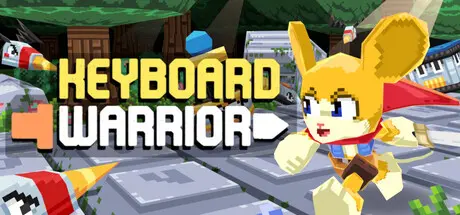
August 16Aug 16 Keyboard Warrior Game DetailsRelease Name: Keyboard WarriorGame Version: Build 24619452Release Date: 29 Jul, 2026Publisher: GrouchDeveloper: Grouch, SuitNtieBased On: CSF & GoldbergKeyboard Warrior Direct Download - Game OverviewThe keyboard is the level!Every key your press sends you flying to that location on-screen, slashing your sword along the way! There's no limit to how quickly you can attack, so nothing will hold you back from fighting as quickly or as slowly as you want. But be careful- Every enemy is different, so you'll need to bring strategy along with speed.Keyboard Warrior features a fully customizable keyboard for any layout, multiple pathways, 5 worlds, a dozen magic items, and hours of fun for those who are willing to master their keyboard.Keyboard Warrior Screenshots Keyboard Warrior TrailerKeyboard Warrior System RequirementsMinimum RequirementsRecommended RequirementsOSWindows 7 or newer-ProcessorIntel Core i3 M380-Memory--GraphicsIntel HD 4000-DirectX--Storage--How to Install Keyboard WarriorNo Installation Needed: The game is pre-installed. Just download and extract.Extract: Right-click the .zip or .rar file and select "Extract Here" or "Extract to folder".Run: Find Keyboard Warrior.exe inside the folder and run it.Game Data & SettingsChange Language: Edit the file located at steam_settings/Configs.user.iniSave Data Location: %USERPROFILE%/AppData/LocalLow/Grouch\Keyboard WarriorImportant NotesTo support the Game Developer, Get It On Steam.🔥DOWNLOAD AREA🔥🔹194 MB🔹Select the server you want to download with ZeiLink.Download





Create an account or sign in to comment