



Skip to content
View in the app

A better way to browse. Learn more.

ZeiGames

A full-screen app on your home screen with push notifications, badges and more.

To install this app on iOS and iPadOS
  1. Tap the Share icon in Safari
  2. Scroll the menu and tap Add to Home Screen.
  3. Tap Add in the top-right corner.
To install this app on Android
  1. Tap the 3-dot menu (โ‹ฎ) in the top-right corner of the browser.
  2. Tap Add to Home screen or Install app.
  3. Confirm by tapping Install.

KuloNiku: Bowl Up! Free Download (v1.0.7 + Digital Artbook DLC)
Featured Replies

header.webp

Game Details

Release Name:ย KuloNiku: Bowl Up!

Game Version:ย v1.0.7 | Build 23471291

Release Date: 7 Apr, 2026

Publisher: Raw Fury

Developer: Gambir Studio

Based On:ย CSF & Goldberg

KuloNiku: Bowl Up! Direct Download - Game Review

Ready to battle for the title of top eatery? Yes, Chef!ย 

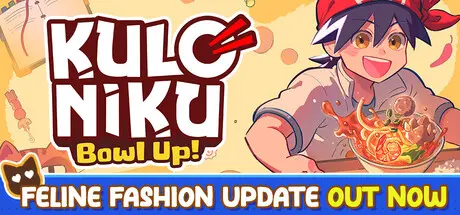
Youโ€™ve just inherited your grandmaโ€™s once-famous meatball restaurant in the cozy town of KuloNiku. Now itโ€™s up to you to bring it back to glory as the top eatery! Take on eccentric orders from townsfolk, serve delicious meals, and restore your familyโ€™s legacy.

Bewareโ€”thereโ€™s fierce competition from the townโ€™s flashiest rival: Souper Starz, run by the menacing rockstar chef, Stella!

  • Chop, boil, fry, torch, pour, sizzle, slice, and skewer, and more with immersive, tactile controls that make every action tickle your brain and make your mouth water.

  • Want to add an extra punch of garlic or a sprinkle of salt? Go for it. Youโ€™re the chef โ€“ find multiple ways to prepare your customers the perfect dish and rack up those juicy tips! ๐Ÿ’ฐ

  • But your customers arenโ€™t just customers. Some may become your friendsย ๐Ÿค, rivals โš”๏ธ, or even part of your story ๐Ÿ“–.

  • Rival chefs want the top spot, and thereโ€™s only one way to settle things: Meatball Brawls!

  • In these thrilling culinary duels, youโ€™ll go head-to-head to impress a panel of rotating judges. Itโ€™s not just about speed - itโ€™s about strategy, creativity, and mastering every step of the cooking process.

  • Play mini-games to impress both the judges and the crowd watching live, who will issue on-the-spot requests to boost your score!

  • Keep things fresh! Unlock new tools, purchase higher-quality ingredients, and discover brand-new recipes to keep your menu exciting.

  • Personalize your restaurant with fun decorations in a variety of styles - even buy full sets! Decor isnโ€™t just cosmetic; some items give gameplay perks to impress your customers.

  • Unlock special decorations by playing in special festivals or raising your friendship level with town residents!


Game Screenshots

screenshot screenshot screenshot screenshot


Game Trailer


System Requirements

Minimum Requirements

Recommended Requirements

OS

10

10

Processor

Intel i5-6600K / Ryzen 5 1600

Intel i7-9700K / Ryzen 5 5600X

Memory

8 GB RAM

16 GB RAM

Graphics

GTX 1050 Ti / RX 570

RTX 2060 / RX 6600

DirectX

Version 10

Version 10

Storage

2 GB available space

2 GB available space


Installation Guide

  1. No Installation Needed: The game is pre-installed. Just download and extract.

  2. Extract: Right-click the .zip or .rar file and select "Extract Here" or "Extract to folder".

  3. Run: Find KuloNiku.exe inside the folder and run it.

Game Data & Settings

  • Change Language: Edit the file located at steam_settings/Configs.user.ini

  • Save Data Location: %USERPROFILE%/AppData/LocalLow/Gambir Studio/Kuloniku/Saves

Important Notes

DLC List

Added DLCs

KuloNiku: Bowl Up! Digital Artbook

๐Ÿ”ฅDOWNLOAD AREA๐Ÿ”ฅ

๐Ÿ”น870 MB๐Ÿ”น

Select the server you want to download with ZeiLink.

Download

  • DicDale changed the title to KuloNiku: Bowl Up! Free Download (v1.0.7 + Digital Artbook DLC)

  • Replies 1
  • Views 1.5k
  • Created
  • Last Reply

Top Posters In This Topic

Most Popular Posts

  • Kartria
    Kartria

    Thank you so much that was so fast <3 Awesome work!

Posted Images

Create an account or sign in to comment

Recently Browsing 0

  • No registered users viewing this page.

Account

Navigation

Search

Search

๐Ÿ”Ž Search Tip
For exact results, search using "game name" .
Without quotes, results may include unrelated titles.

Configure browser push notifications

Chrome (Android)
  1. Tap the lock icon next to the address bar.
  2. Tap Permissions โ†’ Notifications.
  3. Adjust your preference.
Chrome (Desktop)
  1. Click the padlock icon in the address bar.
  2. Select Site settings.
  3. Find Notifications and adjust your preference.