



Skip to content
View in the app

A better way to browse. Learn more.

ZeiGames

A full-screen app on your home screen with push notifications, badges and more.

To install this app on iOS and iPadOS
  1. Tap the Share icon in Safari
  2. Scroll the menu and tap Add to Home Screen.
  3. Tap Add in the top-right corner.
To install this app on Android
  1. Tap the 3-dot menu (โ‹ฎ) in the top-right corner of the browser.
  2. Tap Add to Home screen or Install app.
  3. Confirm by tapping Install.

Total War: ROME REMASTERED Free Download (v2.0.5 + Enhanced Graphics Pack)
Featured Replies

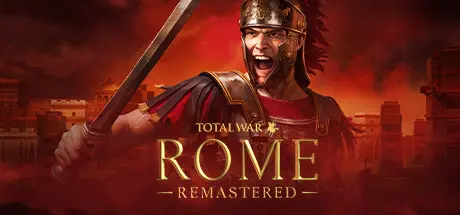
header.webp

Game Details

Release Name:ย Total War: ROME REMASTERED

Game Version:ย v2.0.5 | Build 8081527

Release Date: 29 Apr, 2021

Publisher: SEGA

Developer: Creative Assembly, Feral Interactive

Based On:ย CSF & Goldberg

Total War: ROME REMASTERED Direct Download - Game Review

Improved Visuals
ROME REMASTERED brings the classic Rome visuals up to date, with 4K optimization**, ultra-widescreen and native UHD resolution** support.ย Thisย visual upgradeย extends acrossย a multitude of features, including re-modelled buildingsย and objects, andย environmental effects like dust clouds and heat haze.ย The refreshed campaign maps alsoย boastย new high-resolution models, and units have beenย remodelledย and retextured to look their very best on the battlefield.

Modernย Features
ROME REMASTERED includes a host of modern features and improvements to existing mechanics. The in-game camera has been enhanced, including map rotation and wider zoom level in Campaign mode. Heat maps and new icon overlays have been added for gameplay mechanics such as diplomacy and security. In Battle, the new tactical map, unit displays and range markers give you greater command over Romeโ€™s battlefields.

Enhanced Game Mechanics
Players can now expand their armies and experience 16 additional factions that were previously locked, giving a grand total of 38 playable factions. In a first for Total War, you can now take your favourite faction to battle against friends in cross-platform multiplayer between Windows, macOS and Linux. A whole new agent type has also been added to the fray; Merchants can be sent all over the world to create trade links, access resources and buy out rivals to increase your income and assert your factionโ€™s economic power.


Game Screenshots

screenshot screenshot screenshot screenshot


Game Trailer


System Requirements

Minimum Requirements

Recommended Requirements

OS

Windows 10 64-bit (version 1809)

Windows 10 64-bit (version 20H2)

Processor

Intel i3 series | AMD FX-4000 series

Intel Core i5-4570 | Ryzen 5 1600

Memory

6 GB RAM

8 GB RAM

Graphics

NVIDIA GTX 600 series (1GB VRAM) | AMD HD 7000 series (1GB VRAM) | Intel UHD 620

NVIDIA GeForce GTX 770 4GB | AMD Radeon R9 290 4GB

DirectX

Version 11

Version 11

Storage

45 GB available space

45 GB available space


Installation Guide

  1. No Installation Needed: The game is pre-installed. Just download and extract.

  2. Extract: Right-click the .zip or .rar file and select "Extract Here" or "Extract to folder".

  3. Run: Find Total War: ROME REMASTERED.exe inside the folder and run it.

Game Data & Settings

  • Change Language: Edit the file located at steam_settings/Configs.user.ini

Important Notes

DLC List

Added DLCs

Total War: ROME REMASTERED - Enhanced Graphics Pack

๐Ÿ”ฅDOWNLOAD AREA๐Ÿ”ฅ

๐Ÿ”น36.50 GB๐Ÿ”น

Select the server you want to download with ZeiLink.

Included All Language Packs.

Download

  • Views 666
  • Created
  • Last Reply

Posted Images

Create an account or sign in to comment

Recently Browsing 0

  • No registered users viewing this page.

Account

Navigation

Search

Search

๐Ÿ”Ž Search Tip
For exact results, search using "game name" .
Without quotes, results may include unrelated titles.

Configure browser push notifications

Chrome (Android)
  1. Tap the lock icon next to the address bar.
  2. Tap Permissions โ†’ Notifications.
  3. Adjust your preference.
Chrome (Desktop)
  1. Click the padlock icon in the address bar.
  2. Select Site settings.
  3. Find Notifications and adjust your preference.
