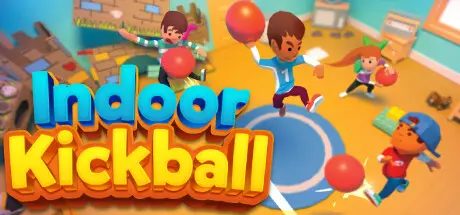
August 23, 20251 yr Indoor Kickball Game DetailsRelease Name: Indoor KickballGame Version: v1.4.4 | Build 12818413Release Date: 26 May, 2023Publisher: Snow Day SoftwareDeveloper: Snow Day SoftwareBased On: CSF & GoldbergIndoor Kickball Direct Download - Game OverviewIndoor Kickball is a 1v1 game of kickball played in the rooms of your house! Play in the world's first Kickball Season Mode! Play 1v1 local multiplayer or challenge the CPU against one of a dozen playable characters!Features:World's first Kickball video gameNo strikes out or foul balls in this chaotic game of kickballKick through windows for home runCountless interactive and destructible items throughout 10 different indoor fieldsDestroy the kitchen cabinet doors and send plates and cups flyingDiverse set of 18 unlockable characters with multiple variations of eachCustomizable characters with hundreds of combinations of hats, masks, glasses, backpacks and tons of other accessoriesPlay to unlock new indoor fields and dozens of cosmetics for your character with 1000s of unique combinationsChallenge a friend and play 1v1 local multiplayer (*requires controller for 2nd player)Indoor Kickball Screenshots Indoor Kickball TrailerIndoor Kickball System Requirements Minimum RequirementsRecommended Requirements OSWindows 7+Windows 10 ProcessorCore 2 DuoIntel Core i5 or equivalent Memory4 GB RAM- GraphicsGeForce GTX 460GeForce GTX 660 or equivalent DirectX-- Storage2 GB available space2 GB available space How to Install Indoor KickballNo Installation Needed: The game is pre-installed. Just download and extract.Extract: Right-click the .zip or .rar file and select "Extract Here" or "Extract to folder".Run: Find Indoor Kickball.exe inside the folder and run it.Game Data & SettingsChange Language: Edit the file located at steam_settings/Configs.user.iniSave Data Location: %USERPROFILE%/AppData/LocalLow/Snow Day Software/Indoor KickballImportant NotesTo support the Game Developer, Get It On Steam.🔥DOWNLOAD AREA🔥🔹187 MB🔹Select the server you want to download with ZeiLink.Download





Create an account or sign in to comment