



Skip to content
View in the app

A better way to browse. Learn more.

ZeiGames

A full-screen app on your home screen with push notifications, badges and more.

To install this app on iOS and iPadOS
  1. Tap the Share icon in Safari
  2. Scroll the menu and tap Add to Home Screen.
  3. Tap Add in the top-right corner.
To install this app on Android
  1. Tap the 3-dot menu (โ‹ฎ) in the top-right corner of the browser.
  2. Tap Add to Home screen or Install app.
  3. Confirm by tapping Install.

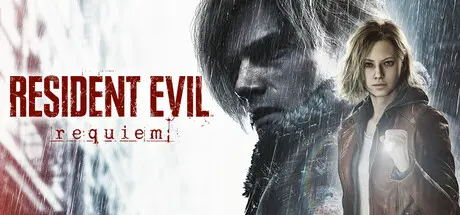
Resident Evil Requiem Free Download (Build 22277314 + ALL DLC)
Featured Replies

Hey @DicDale sorry to ping but the version number here on the website is still 22277314. I think the version here is the latest update with the photo mode and so on (22472737). The number should be changed/updated.

EDIT: Nvm I think I made an error. My sincere apologies.

Edited by Placeholder

  • 2 weeks later...
  • Replies 22
  • Views 9.7k
  • Created
  • Last Reply

Top Posters In This Topic

Most Popular Posts

  • DicDale
    DicDale

    He used to bypass the DRM on smaller games. After this he started cracking Denuvo-protected games and regarding the latest game cracked, he claimed that all Denuvo-protected games can now be cracked u

  • Placeholder
    Placeholder

    We love you DicDale!!!!!

  • DicDale
    DicDale

    The problem is clearly stated. your graphics card isn't powerful enough, you need a better system to play the game.

Posted Images

Hey @DicDale is it possible for you to upload the Hypervisor version? It has the latest update with the photo mode and so on.

Much love.

Edited by Placeholder

  • 4 weeks later...

[!Check edit update in the end!]

I know there is a newer version but it's Hypervisor and I was trying to avoid that, anyways, after one night of downloading tried to run it and I got an error showed on image.

Deleted the config.ini file and tried again with the same error.

Anyone knows what to do?

Thanks

image.png

UPDATE: After some attempts, the game launched and the error went away, I don't know why, did not make any other changes.

Edited by brunocerq

Create an account or sign in to comment

Recently Browsing 0

  • No registered users viewing this page.

Account

Navigation

Search

Search

๐Ÿ”Ž Search Tip
For exact results, search using "game name" .
Without quotes, results may include unrelated titles.

Configure browser push notifications

Chrome (Android)
  1. Tap the lock icon next to the address bar.
  2. Tap Permissions โ†’ Notifications.
  3. Adjust your preference.
Chrome (Desktop)
  1. Click the padlock icon in the address bar.
  2. Select Site settings.
  3. Find Notifications and adjust your preference.
