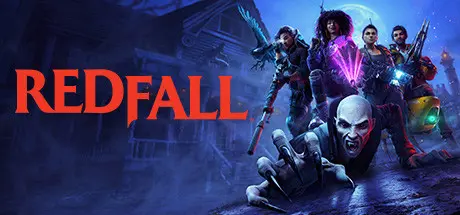
April 9Apr 9 Redfall Game DetailsRelease Name: RedfallGame Version: Build 14381250Release Date: 1 May, 2023Publisher: Bethesda SoftworksDeveloper: Arkane AustinBased On: CSF & DenuvOwORedfall Direct Download - Game OverviewThe island town of Redfall, Massachusetts, is under siege by a legion of vampires who have blocked out the sun and cut the citizens off from the outside world. Explore the open world and immerse yourself in a deep story campaign as you unravel the mystery behind the vampires’ appearance. Ally with a handful of survivors against the creatures threatening to bleed the town dry.Redfall blends single- and multiplayer options seamlessly, allowing the player to venture into the darkness alone or to squad-up for up to four player co-op. Teammates can try different hero loadouts and combine their strengths to find creative solutions to the vampire apocalypse. You will collect an arsenal of specialized weaponry and customize your character with unique upgrades and abilities to suit your playstyle for guns blazing, stealth combat, and everything in-between.Created by science experiments gone wrong and gifted with psychic abilities, Redfall’s vampires will challenge you and your squad to get creative. You will choose from a team of diverse heroes – each with their own character-specific abilities – to overcome the vampire legion and their brood of maniacal followers.DEVINDER CROUSLEY – The Verified Cryptid Hunter: A cryptozoologist and aspiring inventor. Armed with weapons of his own creation, he’s on a mission to prove himself.LAYLA ELLISON – The Telekinetic Threat: A biomedical engineering student who volunteered for a medical trial where something went very wrong, leaving her with intense telekinetic abilities.REMI DE LA ROSA – The Ingenious Ingeniera: A brilliant combat engineer who has spent her life on the frontlines. With the help of her robot cohort, Bribón, she’s determined to help rescue Redfall’s survivors.JACOB BOYER – The Deadeye with an Undead Eye: An ex-military sharpshooter turned private contractor. Strange happenings on Redfall have left Jacob with a mysterious vampiric eye and a spectral raven that’s never far from his side.Redfall Screenshots Redfall TrailerRedfall System Requirements Minimum RequirementsRecommended Requirements OSWindows 10 64-bitWindows 10 64-bit ProcessorIntel Core i5-8400 @ 2.80GHz or AMD Ryzen 5 1600Intel Core i7-9700K @ 3.60GHz or AMD Ryzen 7 2700X Memory16 GB RAM16 GB RAM GraphicsAMD RX 580 / NV GTX 1070 / 6 GB VRAMAMD 5700 / NVIDIA RTX 2080 / Intel ARC / 8 GB VRAM DirectXVersion 12Version 12 Storage100 GB available space100 GB available space How to Install RedfallCopy the contents of the DenuvOwO folder to the game folder.Hypervisor releases require specific system features to be disabled.To prepare your system, run VBS.cmd and follow its instructions.Launch the game from its executable after proceeding with VBS.cmd.Once you are done playing, it is recommended to revert the changes.Game Data & SettingsChange Language: Edit the file located at steam_settings/Configs.user.iniSave Data Location: %USERPROFILE%/Saved Games/Arkane Studios/Redfall/Steam/SaveGamesImportant NotesTo support the Game Developer, Get It On Steam.DLC ListAdded DLCsRedfall Bite Back UpgradeRedfall - Preorder🔥DOWNLOAD AREA🔥🔹79.69 GB🔹Select the server you want to download with ZeiLink.Download





Create an account or sign in to comment