



Skip to content
View in the app

A better way to browse. Learn more.

ZeiGames

A full-screen app on your home screen with push notifications, badges and more.

To install this app on iOS and iPadOS
  1. Tap the Share icon in Safari
  2. Scroll the menu and tap Add to Home Screen.
  3. Tap Add in the top-right corner.
To install this app on Android
  1. Tap the 3-dot menu (โ‹ฎ) in the top-right corner of the browser.
  2. Tap Add to Home screen or Install app.
  3. Confirm by tapping Install.

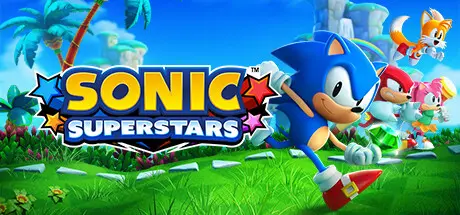
SONIC SUPERSTARS Free Download (Build 20280032 + ALL DLC)
Featured Replies

header.webp

Game Details

Release Name:ย SONIC SUPERSTARS

Game Version:ย Build 20280032

Release Date: 16 Oct, 2023

Publisher: SEGA

Developer: SEGA

Based On:ย CSF & DenuvOwO

SONIC SUPERSTARS Direct Download - Game Review

Adventure through the mystical Northstar Islands in this all-new take on classic 2D Sonic high-speed action platforming. Play as Sonic, Tails, Knuckles, and Amy and harness all-new Emerald powers to move and attack in dynamic new ways. Navigate gorgeous, never-before-seen environments solo or with up to 3 other players and stop Dr. Eggman, Fang, and a mysterious new adversary from converting the islandsโ€™ giant animals into Badniks before itโ€™s too late!

The 2D Sonic high-speed sidescrolling action platforming is reimagined with fully 3D graphics, new powers and abilities, an all-new setting, and new ways to play! Youโ€™ve never played classic Sonic like this before!

Choose from Sonic, Tails, Knuckles, and Amy and take advantage of their unique abilities to blaze a path across the Northstar Islands as they race to defeat Dr. Eggman, who has teamed up with an old nemesis, Fang, and a mysterious new armored adversary.

With the new Emerald Powers, choose from 7 different abilities including Multiply, swim up waterfalls, and even change your form. Explore new parts of the map, unlock new abilities, and unleash devastating special abilities against your enemies.

Play through the entire campaign with up to 3 other players with 4-Player Local Co-op and Compete locally or online with up to 8 players in the all-new Battle Mode!


Game Screenshots

screenshot screenshot screenshot screenshot


Game Trailer


System Requirements

Minimum Requirements

Recommended Requirements

OS

Windows 10 / 11

Windows 10 / 11

Processor

Intel Core i5-2300 or AMD FX-4350

Intel Core i5-3470 or AMD FX-6300

Memory

6 GB RAM

6 GB RAM

Graphics

NVIDIA GeForce GTS 450, 1 GB or AMD Radeon HD 5770, 1 GB

NVIDIA GeForce GTX 560, 1 GB or AMD Radeon HD 5870, 2 GB

DirectX

Version 11

Version 11

Storage

20 GB available space

20 GB available space


Installation Guide

  1. Copy the contents of the DenuvOwO folder to the game folder.

  2. Hypervisor releases require specific system features to be disabled.

  3. To prepare your system, run VBS.cmd and follow its instructions.

  4. Launch the game from its executable after proceeding with VBS.cmd.

  5. Once you are done playing, it is recommended to revert the changes.

Game Data & Settings

  • Change Language: Edit the file located at steam_settings/Configs.user.ini

  • Save Data Location: %USERPROFILE%/AppData/Roaming/SEGA/SonicSuperstars/Steam/

Important Notes

DLC List

Added DLCs

Sonic Superstars - Extra Content Pack

SONIC SUPERSTARS - Modern Amy Costume

Sonic Superstars - Comic Book Skin Pack

Sonic Superstars - Digital Artbook and mini-OS (SONIC SUPERSTARS - Digital Artbook & Mini Original Soundtrack)

SONIC SUPERSTARS - Sonic Holiday Costume

SONIC SUPERSTARS โ€“ Retro Diner Style Amy Costume

Sonic Superstars - LEGO Sonic (SONIC SUPERSTARS - LEGOยฎ Sonic Skin)

Sonic Superstars - LEGO Eggman

Sonic Superstars - LEGO Fun Pack

SONIC SUPERSTARS - Shadow Costume for Sonic

๐Ÿ”ฅDOWNLOAD AREA๐Ÿ”ฅ

๐Ÿ”น11.04 GB๐Ÿ”น

Select the server you want to download with ZeiLink.

Download

  • Views 542
  • Created
  • Last Reply

Posted Images

Create an account or sign in to comment

Recently Browsing 0

  • No registered users viewing this page.

Account

Navigation

Search

Search

๐Ÿ”Ž Search Tip
For exact results, search using "game name" .
Without quotes, results may include unrelated titles.

Configure browser push notifications

Chrome (Android)
  1. Tap the lock icon next to the address bar.
  2. Tap Permissions โ†’ Notifications.
  3. Adjust your preference.
Chrome (Desktop)
  1. Click the padlock icon in the address bar.
  2. Select Site settings.
  3. Find Notifications and adjust your preference.
