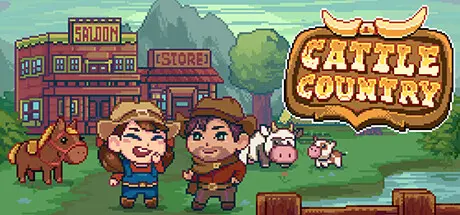
February 27Feb 27 Cattle Country Game DetailsRelease Name: Cattle CountryGame Version: Build 20884177Release Date: 27 May, 2025Publisher: Playtonic FriendsDeveloper: Castle Pixel, LLC.Based On: CSF & GoldbergCattle Country Direct Download - Game OverviewCattle Country straddles the saddle of cozy wholesome gaming and action-adventure. Serving up hours of the slice-of-life you’d expect on the frontier – including mining, fishing, crafting, and farming – along with deep-rooted Wild West Quests delivering stories of romance, cattle drives, bandits, and robberies.Making your home on the range is a modern departure. From sunup to sundown, you'll be rollin' up your sleeves and gettin' your hands dirty working the land and raising your cattle. Building and crafting as you go to make your own little slice of heaven under the blues skies of Cattle Country.Get to know the townsfolk, hear their stories, help them out. The people here are a hardy bunch- you’ve got be to survive here. But they have hearts as warm as a hearth in the wintertime if you make the effort to stoke the flames. Not everyone in Cattle Country is the warm and fuzzy type, so watch out for nefarious plots and shady characters. Protect your homestead and your community.Making friends is a must in the Wilderness, relying on each other through the thick and the thin. But maybe you've got a yearnin' for more? With 18 romanceable characters, take a chance and grab love by the reigns.Did yer hear? There's treasure in the mines, for those who are brave enough to look for it. From precious metals and minerals to bandit stashes. Grab your pickaxe and venture out into the thrill of prospecting.From bunnies to bovine, there's many a critter waiting in the woodlands for a keen adventurer. Hunting to eat or venturing out just to see all of nature’s wonders, it’s your call.This is just a taste of the adventures on offer, so throw down roots and work the land. Become part of a story that’s as old as these hills and a part of this small community of settlers. Welcome to Cattle Country!Cattle Country Screenshots Cattle Country TrailerCattle Country System Requirements Minimum RequirementsRecommended Requirements OS-Windows 10 ProcessorIntel Pentium E2200 (2 * 2200) / AMD Athlon 64 X2 4200+ (2 * 2200)Intel Pentium G3250 (2 * 3200) / AMD Athlon 64 X2 Dual Core 6000+ (2 * 3000) Memory2 GB RAM2 GB RAM GraphicsGeForce 9600 GS / Radeon HD 4670GeForce GTX 550 Ti / Radeon R7 240 DirectX-- Storage1 GB available space1 GB available space How to Install Cattle CountryNo Installation Needed: The game is pre-installed. Just download and extract.Extract: Right-click the .zip or .rar file and select "Extract Here" or "Extract to folder".Run: Find Cattle Country.exe inside the folder and run it.Game Data & SettingsChange Language: Edit the file located at steam_settings/Configs.user.iniSave Data Location: %USERPROFILE%/AppData/Roaming/CattleCountryImportant NotesTo support the Game Developer, Get It On Steam.🔥DOWNLOAD AREA🔥🔹197 MB🔹Select the server you want to download with ZeiLink.Download





Create an account or sign in to comment